A saját
AI-marketingügynököd.
Az AI-hirdetésgenerátor, amely a tartalmaidat is mindenhol közzéteszi, és futtatja a fizetett kampányaidat, közvetlenül a Claude-ból, a ChatGPT-ből vagy a Cursorból.
Tégy közzé és ütemezz 11 organikus csatornára. Építsd és futtasd a kampányokat 12 hirdetési platformon. Egyetlen bejelentkezéssel.
Nincs bankkártya · Kezdd 250+ ingyenes kredittel · Modellek felár nélkül


Ne ugrálj tovább öt app között.
A legtöbb AI-hirdetőeszköz megáll a renderelésnél. Az egyikben promptolsz, letöltöd, feltöltöd a következőbe, aztán kézzel építed újra minden kampányt. A Hermoso az egész kört lefuttatja: kutatás, renderelés, publikálás, hirdetések futtatása és az eredmények kiolvasása. Kösd össze a Claude-dal, vagy nyisd meg a stúdiót. Hozd az ízlést, a nehezét mi elvégezzük.


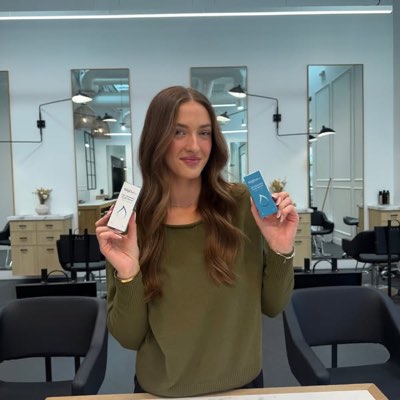








Egy brief. Mindenütt egyszerre.
Mondd ki egyszer. A Hermoso megtalálja, ami már működik a piacodon, elkészíti a kész hirdetést, kiteszi tizenegy organikus csatornára és tizenkét hirdetési platformra, és a saját analitikádból olvassa vissza az eredményeket. Kezdd bárhol. Minden elem önállóan is működik.
- Threads
- TikTok
- YouTube
- X
- Bluesky
- Telegram
- Google Business Profile
- Meta
- Google Ads
- Microsoft Advertising
- Reddit Ads
- X Ads
- TikTok Ads
- Snapchat Ads
- ChatGPT Ads
- Apple Search Ads
- AppLovin Ads
- Messenger
- Instagram Direct
- X
- Bluesky
- Telegram
- Google Business Profile
- Intercom
- Google Analytics
- Google Tag Manager
- Google Search Console
- Bing Webmaster Tools
- PostHog
- Mixpanel
- Amplitude
- HubSpot
- Stripe
A marketingcsapatod már bent van az ügynöködben.
Minden más marketingeszköz azt kéri, hogy nyisd meg a saját irányítópultját. A Hermoso abba az asszisztensbe települ, amellyel amúgy is beszélgetsz. Egyetlen OAuth-os végpont 922+ eszközt ad az ügynöködnek (hirdetéskutatást, kész rendereket, közzétételt, kampánykezelést), és mindegyik egy tartós asseturl-t vagy strukturált eredményt ad vissza, sosem egy szövegfalat, amelyet a modellnek újra kellene értelmeznie.
Copy the connector URL
Open Customize → Connectors
+ Add → Add custom connector → name it Hermoso → paste the URL.
Connect & approve
Sign in with your Hermoso account on the consent page, and no key is needed. Then ask Claude for “an image ad with Hermoso.”
Hozz létre egy kulcsot
A Hermoso alkalmazásban nyisd meg ezt: MCP & CLI → Terminal & API keys, és hozz létre egy kulcsot. A Grok Bot ezzel jelentkezik be a Hermoso szolgáltatásba, ezért kezeld úgy, mint egy jelszót, és soha ne illeszd be URL-be.
Add hozzá a Hermoso szolgáltatást a Grok Bothoz
A leggyorsabb, ha hozzáadod ezt: Hermoso Marketing Bot, majd beilleszted a kulcsodat, amikor kéri. Saját Botot használsz? Illeszd be ezt a promptot a csevegőjébe a kulcsoddal együtt.
Kezdj alkotni
Kérd meg a Grok Botot: „készíts egy képes hirdetést a Hermoso segítségével”, vagy „szedd össze a versenytársaim legrégebben futó hirdetéseit, és remixeld a legjobbat”.
Copy the connector URL
Open Plugins → Add → Create MCP App
Name it Hermoso, paste the URL as the Server URL, keep OAuth → Create. No Create MCP App? Switch on Developer mode under Settings → Plugins.
Connect & approve
Sign in with your Hermoso account on the consent page, and no key is needed. Then ask ChatGPT for “an image ad with Hermoso.”
Install Hermoso in Claude Code
Run this once in your terminal. It adds five Hermoso skills (marketing, research, ad-from-brand, generate, product-photoshoot) that run the hermoso command through npx, so no tool list is loaded into your sessions and nothing costs context until it runs. Already inside a session? Type /plugin marketplace add hermoso-ai/hermoso, then /plugin install hermoso@hermoso.
Sign in once
Opens your browser to sign in with your Hermoso account. Your agent runs this itself the first time it needs Hermoso, so you can also skip it. No browser on that machine? Use npx -y hermoso auth login --token <your key> with a key from MCP & CLI.
Start creating
Ask Claude Code for “an image ad with Hermoso,” or “pull my competitors’ longest-running ads and remix the best one.” Claude Code picks the Hermoso skill for the job and runs the commands. You type none of them.
Install Hermoso in Cursor
Run this once in your terminal. It adds five Hermoso skills (marketing, research, ad-from-brand, generate, product-photoshoot) that run the hermoso command through npx, so no tool list is loaded into your sessions and nothing costs context until it runs. Add -g to install it for every project instead of the current one.
Sign in once
Opens your browser to sign in with your Hermoso account. Your agent runs this itself the first time it needs Hermoso, so you can also skip it. No browser on that machine? Use npx -y hermoso auth login --token <your key> with a key from MCP & CLI.
Start creating
Ask Cursor for “an image ad with Hermoso,” or “pull my competitors’ longest-running ads and remix the best one.” Cursor picks the Hermoso skill for the job and runs the commands. You type none of them.
Install Hermoso in Codex
Run this once in your terminal. It adds five Hermoso skills (marketing, research, ad-from-brand, generate, product-photoshoot) that run the hermoso command through npx, so no tool list is loaded into your sessions and nothing costs context until it runs.
Sign in once
Opens your browser to sign in with your Hermoso account. Your agent runs this itself the first time it needs Hermoso, so you can also skip it. No browser on that machine? Use npx -y hermoso auth login --token <your key> with a key from MCP & CLI.
Start creating
Ask Codex for “an image ad with Hermoso,” or “pull my competitors’ longest-running ads and remix the best one.” Codex picks the Hermoso skill for the job and runs the commands. You type none of them.
Copy the connector URL
Open Plugins → Connectors
New Connector → Custom → paste the URL (or go straight to grok.com/connectors). On Business and Enterprise plans a team admin adds it once for everyone.
Connect & approve
Sign in with your Hermoso account on the consent page, and no key is needed. Then ask Grok for “an image ad with Hermoso.”
Install Hermoso in Cline
Run this once in your terminal. It adds five Hermoso skills (marketing, research, ad-from-brand, generate, product-photoshoot) that run the hermoso command through npx, so no tool list is loaded into your sessions and nothing costs context until it runs. Add -g to install it for every project instead of the current one.
Sign in once
Opens your browser to sign in with your Hermoso account. Your agent runs this itself the first time it needs Hermoso, so you can also skip it. No browser on that machine? Use npx -y hermoso auth login --token <your key> with a key from MCP & CLI.
Start creating
Ask Cline for “an image ad with Hermoso,” or “pull my competitors’ longest-running ads and remix the best one.” Cline picks the Hermoso skill for the job and runs the commands. You type none of them.
Install Hermoso in OpenClaw
Run this once in your terminal. It adds five Hermoso skills (marketing, research, ad-from-brand, generate, product-photoshoot) that run the hermoso command through npx, so no tool list is loaded into your sessions and nothing costs context until it runs. Add -g to install it for every project instead of the current one.
Sign in once
Opens your browser to sign in with your Hermoso account. Your agent runs this itself the first time it needs Hermoso, so you can also skip it. No browser on that machine? Use npx -y hermoso auth login --token <your key> with a key from MCP & CLI.
Start creating
Ask OpenClaw for “an image ad with Hermoso,” or “pull my competitors’ longest-running ads and remix the best one.” OpenClaw picks the Hermoso skill for the job and runs the commands. You type none of them.
Install Hermoso in Hermes
Run this once in your terminal. It adds five Hermoso skills (marketing, research, ad-from-brand, generate, product-photoshoot) that run the hermoso command through npx, so no tool list is loaded into your sessions and nothing costs context until it runs. Add -g to install it for every project instead of the current one.
Sign in once
Opens your browser to sign in with your Hermoso account. Your agent runs this itself the first time it needs Hermoso, so you can also skip it. No browser on that machine? Use npx -y hermoso auth login --token <your key> with a key from MCP & CLI.
Start creating
Ask Hermes for “an image ad with Hermoso,” or “pull my competitors’ longest-running ads and remix the best one.” Hermes picks the Hermoso skill for the job and runs the commands. You type none of them.
Copy the connector URL
Any client that takes an MCP server URL can use this one.
Or spawn it locally
Clients that launch a local process take this instead, which costs no context until a tool runs.
Neither shape fits?
There is a plain REST API at app.hermoso.ai/v1 with the same tools behind an hmk_ key, for an agent that speaks HTTP and nothing else.
“Keresd meg a leghosszabb ideje futó Meta-hirdetéseket a három legközelebbi versenytársamnál, mondd meg, melyik horog ismétlődik újra és újra, majd készíts nekem egy 9:16-os UGC-videóhirdetést azzal a horoggal (a valódi termékfotóm, ráégetett feliratokkal) és ütemezd Instagramra és TikTokra keddre reggel 9-re.”
A világ legnagyobb márkái már AI hirdetéseket futtatnak. Most már eszköz, nem stúdióköltségvetés.
Lásd, mi nyeri már most. Mielőtt egy fillért is elköltenél.
Az Ad Spy átvizsgálja a Meta, Google és LinkedIn hirdetési könyvtárakat, valamint az organikus TikTok, Instagram, YouTube, Reddit és Threads feedeket, és a kategóriád kreatívjait aszerint rangsorolja, mennyi ideje futnak. Ez sokkal többet elárul arról, mi konvertál, mint arról, mi néz ki jól.
Új: Hermoso Chrome-hoz. Ments el bármilyen hirdetést a hirdetéstárakból, a TikTokról, az Instagramról vagy a YouTube Shortsról a swipefile-odba egy kattintással, nézd meg, mióta fut, és klónozd a márkádnak. Szerezd be a Chrome-bővítményt → Embereket keresel az együttműködéshez? A Kreátor-keresés megtalálja azokat a kreátorokat, akik már nyernek a niche-edben.
Vizsgáld át a piacod →
Írd le. A stúdió intézi a koncepciót, a szereplőválasztást és a szöveget.
Egyetlen beszélgetés megtervezi az irányt, megírja a szöveget, kiválasztja az alkotót és lerendereli a hirdetést. A valódi terméked és márkád rögzítve marad, a szöveg pedig pixel-pontosan kompozitálva kerül rá, hogy a logók sose torzuljanak.
Új: Ads Studio. Válassz termékeket a katalógusodból, add meg, hány hirdetés legyen mindegyikhez, és kapsz egy köteg kész statikus hirdetést, mindegyiket más elrendezésben, a valódi termékeddel és logóddal. Nézd meg az Ads Studio oldalt → Vagy illeszd be bármilyen videó linkjét, hogy klónozd a márkádnak, egy új szereplővel a képernyőn, aki lehet valódi ember vagy egy saját szavaiddal leírt AI-műsorvezető. Így működik a videóklónozás →
Nyisd meg a stúdiót →
A kész az tényleg kész. Mentsd, variáld, publikáld.
Minden renderelt tartalom készen landol a könyvtáradban, és ugyanígy minden, amit feltöltesz. Publikálj organikusan egyenesen a Facebook, Instagram, Threads, TikTok, YouTube, X, LinkedIn, Pinterest, Bluesky, Telegram és Google Business Profile felületére, akár most azonnal, akár ütemezve egy valódi tartalomnaptárban. Aztán építsd, elemezd és optimalizáld a mögötte álló fizetett kampányokat tizenkét hirdetési platformon, anélkül, hogy elhagynád a Hermoso felületét. Kapcsold be a robotpilótát, és minden nap friss posztokat készít a márkádból, amelyeket jóváhagyhatsz, vagy maguktól kimennek, miközben a DM automatizálások válaszolnak a kommentekre és DM-ekre az Instagramon, a Facebookon, a Messengeren és az X-en.
- Threads
- TikTok
- YouTube
- X
- Bluesky
- Telegram
- Meta
- Google Ads
- Microsoft Advertising
- Reddit Ads
- X Ads
- TikTok Ads
- Snapchat Ads
- ChatGPT Ads
- Apple Search Ads
- AppLovin Ads

Minden formátum, amit a feeded ismer. Most már te alkotod.
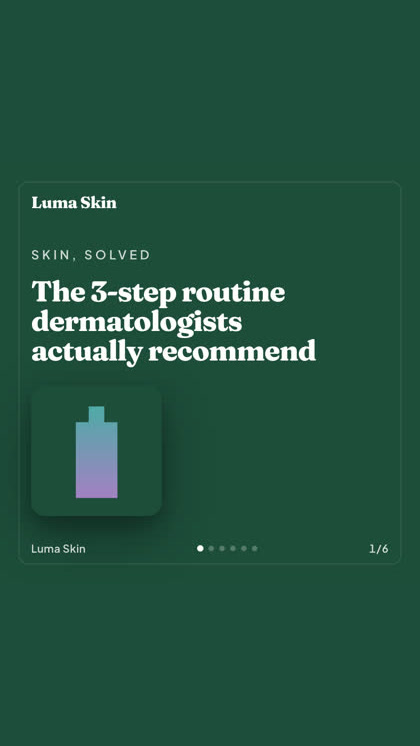
Filmes látvány, egy szál, ami valódi DM-nek tűnik, egy üzenet, ami egy képernyőn üt. Válaszd a formát, tedd bele a márkád, és kész is renderelve. Vidd fölé vagy koppints bármelyik csempére, és megmozdul.
A Studio több mint 40 videóhirdetés-formátumot kínál, mindegyik a te márkáddal castolva és renderelve
Egy stúdió. Mindig a legújabb modellekkel.
A built-in model router picks the best model for every job.
Modellek, felár nélkül.
A csomagok a kreditekben térnek el, a fizetős csomagok pedig valódi arcokat adnak a saját fotóidból. Használd a Hermoso egyetlen részét vagy az egészet. Az ütemezés, a kampánykezelés, a mérés és a korlátlan profilok minden csomagban benne vannak, a Free-t is beleértve.
Jó, ha tudod
https://app.hermoso.ai/mcp címen, így módosítás nélkül működik a ChatGPT, Claude, Claude Desktop, Codex, Cursor, Cline, OpenClaw, Hermes és bármely más MCP-kliens alatt. Van egy npm CLI is (npm install -g hermoso) azoknak a terminál-ügynököknek, amelyek inkább parancssorból dolgoznak, valamint telepíthető Claude-készségek, amelyek becsomagolják a gyakori munkafolyamatokat.hermoso CLI-t futtatják. A Claude Code-ban írd be: /plugin marketplace add hermoso-ai/hermoso, majd /plugin install hermoso@hermoso. A Codexben futtasd: codex plugin marketplace add hermoso-ai/hermoso, majd codex plugin add hermoso@hermoso. A Gemini CLI-ben futtasd: gemini extensions install https://github.com/hermoso-ai/hermoso. A Cursorban vagy bármely más, skilleket támogató ügynökben futtasd: npx skills add hermoso-ai/hermoso -a cursor, és a -a után a saját ügynököd nevét add meg. Utána jelentkezz be egyszer ezzel: npx -y hermoso auth login. A Claude.ai-ban, a ChatGPT-ben vagy bármely más csevegőalkalmazásban illeszd be a https://app.hermoso.ai/mcp címet a Settings → Connectors alá, és hagyd jóvá a Hermoso-fiókoddal. Nincs mit önállóan hosztolni, és minden a kreditjeidet terheli.set_meta_campaign_status, set_google_ads_status, set_microsoft_ads_status, set_reddit_ads_status, set_linkedin_ads_status, set_pinterest_ads_status, set_x_ads_status és set_openai_ads_status) mind megtagadják a futást explicit megerősítő jelző nélkül. A generálás a te egyenlegedből költ krediteket, és minden modell pontos renderelésenkénti költsége közzé van téve a hermoso_capabilities felületén keresztül, így az ügynök meg tud adni neked egy összeget, mielőtt renderelne.A következő hirdetésed
egyetlen prompt távolságra van.
Nincs bankkártya · Indulj 250+ ingyenes kredittel, kereshetsz továbbiakat útközben