Ejen AI untuk
pemasaran anda.
Penjana iklan AI yang turut menyiarkan kandungan anda di mana-mana sahaja dan menjalankan kempen berbayar anda, terus dari Claude, ChatGPT atau Cursor.
Terbit dan jadualkan ke 11 saluran organik. Bina dan jalankan kempen di 12 platform iklan. Satu log masuk.
Tiada kad kredit · Mulakan dengan 250+ kredit percuma · Tiada tokokan harga pada model


Berhenti melompat antara lima aplikasi.
Kebanyakan alat iklan AI berhenti pada hasil render. Anda menaip arahan dalam satu, muat turun, muat naik ke yang seterusnya, kemudian bina semula setiap kempen dengan tangan. Hermoso menjalankan keseluruhan kitaran: penyelidikan, render, terbit, jalankan iklan dan baca hasilnya. Sambungkannya ke Claude atau buka studio. Bawa cita rasa anda, kami buat kerja berat.
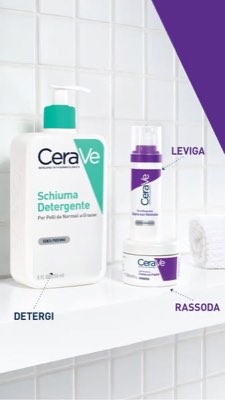
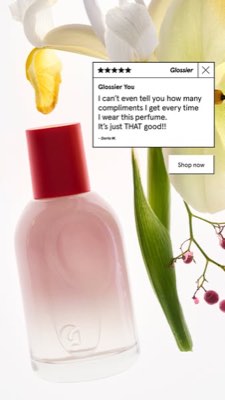
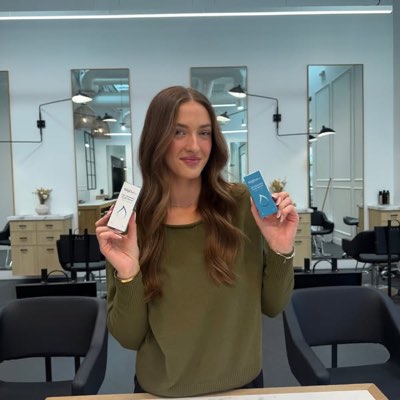








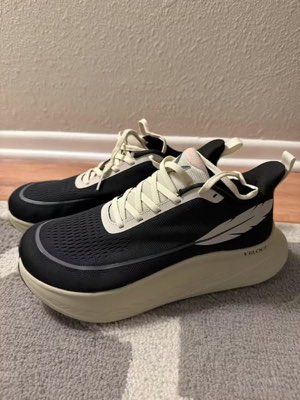
Satu ringkasan. Di mana-mana sekaligus.
Sebut sekali sahaja. Hermoso mencari apa yang sudah berkesan dalam pasaran anda, menghasilkan iklan siap, menyiarkannya merentasi sebelas saluran organik dan dua belas platform iklan, serta membaca keputusannya daripada analitik anda sendiri. Mulakan di mana-mana. Setiap bahagian berfungsi secara tersendiri.
- Threads
- TikTok
- YouTube
- X
- Bluesky
- Telegram
- Google Business Profile
- Meta
- Google Ads
- Microsoft Advertising
- Reddit Ads
- X Ads
- TikTok Ads
- Snapchat Ads
- ChatGPT Ads
- Apple Search Ads
- AppLovin Ads
- Messenger
- Instagram Direct
- X
- Bluesky
- Telegram
- Google Business Profile
- Intercom
- Google Analytics
- Google Tag Manager
- Google Search Console
- Bing Webmaster Tools
- PostHog
- Mixpanel
- Amplitude
- HubSpot
- Stripe
Pasukan pemasaran anda sudah pun ada dalam ejen anda.
Setiap alat pemasaran lain meminta anda membuka papan pemukanya. Hermoso dipasang ke dalam pembantu yang sudah anda ajak bicara. Satu titik akhir ber-OAuth menyerahkan kepada ejen anda 922+ alat (kajian iklan, hasil siap, penerbitan, pengurusan kempen) dan setiap satu mengembalikan URL aset yang kekal atau hasil berstruktur, bukan longgokan prosa untuk model itu menghurai semula.
Copy the connector URL
Open Customize → Connectors
+ Add → Add custom connector → name it Hermoso → paste the URL.
Connect & approve
Sign in with your Hermoso account on the consent page, and no key is needed. Then ask Claude for “an image ad with Hermoso.”
Cipta kunci
Dalam aplikasi Hermoso, buka MCP & CLI → Terminal & API keys dan cipta kunci. Grok Bot log masuk ke Hermoso menggunakannya, jadi jaga ia seperti kata laluan dan jangan sekali-kali tampalkannya dalam URL.
Tambah Hermoso pada Grok Bot
Cara terpantas: tambah Hermoso Marketing Bot dan tampal kunci anda apabila diminta. Guna Bot anda sendiri? Tampal gesaan ini ke dalam sembangnya bersama kunci anda.
Mula mencipta
Minta Grok Bot untuk “iklan imej dengan Hermoso” atau “tarik iklan pesaing saya yang paling lama berjalan dan remix yang terbaik”.
Copy the connector URL
Open Plugins → Add → Create MCP App
Name it Hermoso, paste the URL as the Server URL, keep OAuth → Create. No Create MCP App? Switch on Developer mode under Settings → Plugins.
Connect & approve
Sign in with your Hermoso account on the consent page, and no key is needed. Then ask ChatGPT for “an image ad with Hermoso.”
Install Hermoso in Claude Code
Run this once in your terminal. It adds five Hermoso skills (marketing, research, ad-from-brand, generate, product-photoshoot) that run the hermoso command through npx, so no tool list is loaded into your sessions and nothing costs context until it runs. Already inside a session? Type /plugin marketplace add hermoso-ai/hermoso, then /plugin install hermoso@hermoso.
Sign in once
Opens your browser to sign in with your Hermoso account. Your agent runs this itself the first time it needs Hermoso, so you can also skip it. No browser on that machine? Use npx -y hermoso auth login --token <your key> with a key from MCP & CLI.
Start creating
Ask Claude Code for “an image ad with Hermoso,” or “pull my competitors’ longest-running ads and remix the best one.” Claude Code picks the Hermoso skill for the job and runs the commands. You type none of them.
Install Hermoso in Cursor
Run this once in your terminal. It adds five Hermoso skills (marketing, research, ad-from-brand, generate, product-photoshoot) that run the hermoso command through npx, so no tool list is loaded into your sessions and nothing costs context until it runs. Add -g to install it for every project instead of the current one.
Sign in once
Opens your browser to sign in with your Hermoso account. Your agent runs this itself the first time it needs Hermoso, so you can also skip it. No browser on that machine? Use npx -y hermoso auth login --token <your key> with a key from MCP & CLI.
Start creating
Ask Cursor for “an image ad with Hermoso,” or “pull my competitors’ longest-running ads and remix the best one.” Cursor picks the Hermoso skill for the job and runs the commands. You type none of them.
Install Hermoso in Codex
Run this once in your terminal. It adds five Hermoso skills (marketing, research, ad-from-brand, generate, product-photoshoot) that run the hermoso command through npx, so no tool list is loaded into your sessions and nothing costs context until it runs.
Sign in once
Opens your browser to sign in with your Hermoso account. Your agent runs this itself the first time it needs Hermoso, so you can also skip it. No browser on that machine? Use npx -y hermoso auth login --token <your key> with a key from MCP & CLI.
Start creating
Ask Codex for “an image ad with Hermoso,” or “pull my competitors’ longest-running ads and remix the best one.” Codex picks the Hermoso skill for the job and runs the commands. You type none of them.
Copy the connector URL
Open Plugins → Connectors
New Connector → Custom → paste the URL (or go straight to grok.com/connectors). On Business and Enterprise plans a team admin adds it once for everyone.
Connect & approve
Sign in with your Hermoso account on the consent page, and no key is needed. Then ask Grok for “an image ad with Hermoso.”
Install Hermoso in Cline
Run this once in your terminal. It adds five Hermoso skills (marketing, research, ad-from-brand, generate, product-photoshoot) that run the hermoso command through npx, so no tool list is loaded into your sessions and nothing costs context until it runs. Add -g to install it for every project instead of the current one.
Sign in once
Opens your browser to sign in with your Hermoso account. Your agent runs this itself the first time it needs Hermoso, so you can also skip it. No browser on that machine? Use npx -y hermoso auth login --token <your key> with a key from MCP & CLI.
Start creating
Ask Cline for “an image ad with Hermoso,” or “pull my competitors’ longest-running ads and remix the best one.” Cline picks the Hermoso skill for the job and runs the commands. You type none of them.
Install Hermoso in OpenClaw
Run this once in your terminal. It adds five Hermoso skills (marketing, research, ad-from-brand, generate, product-photoshoot) that run the hermoso command through npx, so no tool list is loaded into your sessions and nothing costs context until it runs. Add -g to install it for every project instead of the current one.
Sign in once
Opens your browser to sign in with your Hermoso account. Your agent runs this itself the first time it needs Hermoso, so you can also skip it. No browser on that machine? Use npx -y hermoso auth login --token <your key> with a key from MCP & CLI.
Start creating
Ask OpenClaw for “an image ad with Hermoso,” or “pull my competitors’ longest-running ads and remix the best one.” OpenClaw picks the Hermoso skill for the job and runs the commands. You type none of them.
Install Hermoso in Hermes
Run this once in your terminal. It adds five Hermoso skills (marketing, research, ad-from-brand, generate, product-photoshoot) that run the hermoso command through npx, so no tool list is loaded into your sessions and nothing costs context until it runs. Add -g to install it for every project instead of the current one.
Sign in once
Opens your browser to sign in with your Hermoso account. Your agent runs this itself the first time it needs Hermoso, so you can also skip it. No browser on that machine? Use npx -y hermoso auth login --token <your key> with a key from MCP & CLI.
Start creating
Ask Hermes for “an image ad with Hermoso,” or “pull my competitors’ longest-running ads and remix the best one.” Hermes picks the Hermoso skill for the job and runs the commands. You type none of them.
Copy the connector URL
Any client that takes an MCP server URL can use this one.
Or spawn it locally
Clients that launch a local process take this instead, which costs no context until a tool runs.
Neither shape fits?
There is a plain REST API at app.hermoso.ai/v1 with the same tools behind an hmk_ key, for an agent that speaks HTTP and nothing else.
“Cari iklan Meta paling lama berjalan untuk tiga pesaing terdekat saya, beritahu saya hook mana yang terus berulang, kemudian buatkan saya iklan video UGC 9:16 menggunakan hook itu (foto produk sebenar saya, kapsyen terbenam) dan jadualkannya ke Instagram dan TikTok untuk Selasa 9 pagi.”
Jenama terbesar dunia sudah menyiarkan iklan AI. Kini ia satu alat, bukan bajet studio.
Lihat apa yang sudah menang. Sebelum anda belanjakan seringgit pun.
Ad Spy mengimbas perpustakaan iklan Meta, Google dan LinkedIn serta suapan organik TikTok, Instagram, YouTube, Reddit dan Threads dan menyusun kreativiti kategori anda mengikut tempoh tayangan. Tempoh tayangan memberitahu lebih banyak tentang apa yang menukar berbanding rupa yang cantik.
Baharu: Hermoso untuk Chrome. Simpan mana-mana iklan daripada ad library, TikTok, Instagram atau YouTube Shorts ke swipefile anda dengan satu klik, lihat berapa lama ia telah disiarkan, dan klonnya untuk jenama anda. Dapatkan sambungan Chrome → Mencari orang untuk bekerjasama? Carian Kreator mencari kreator yang sedang berjaya dalam niche anda.
Imbas pasaran anda →
Huraikannya. Studio uruskan konsep, casting, salinan.
Satu sembang merancang sudut cerita, menulis salinan, memilih pelakon dan merender iklan. Produk dan jenama sebenar anda kekal terkunci, serta teks dikomposit sempurna piksel supaya nama jenama tidak pernah kabur.
Baharu: Ads Studio. Pilih produk daripada katalog anda, nyatakan berapa iklan untuk setiap satu, dan dapatkan satu kelompok iklan statik siap, setiap satu dengan susun atur berbeza, bersama produk dan logo sebenar anda. Lihat Ads Studio → Atau tampal pautan mana-mana video untuk mengklonnya bagi jenama anda, dengan orang baharu di skrin, sama ada orang sebenar atau penyampai AI yang anda gambarkan dengan kata-kata anda sendiri. Cara pengklonan video berfungsi →
Buka studio →
Siap bermaksud siap. Simpan, variasikan, siarkan.
Setiap hasil render tiba di pustaka anda sedia untuk dijalankan, begitu juga apa sahaja yang anda muat naik. Terbitkan secara organik terus ke Facebook, Instagram, Threads, TikTok, YouTube, X, LinkedIn, Pinterest, Bluesky, Telegram dan Google Business Profile, sama ada sekarang juga atau dijadualkan pada kalendar kandungan sebenar. Kemudian bina, baca dan optimumkan kempen berbayar di sebaliknya pada dua belas platform iklan, tanpa meninggalkan Hermoso. Hidupkan autopilot dan ia mencipta siaran baharu daripada jenama anda setiap hari, untuk anda luluskan atau untuk disiarkan sendiri, sementara automasi DM menjawab komen dan DM di Instagram, Facebook, Messenger dan X.
- Threads
- TikTok
- YouTube
- X
- Bluesky
- Telegram
- Meta
- Google Ads
- Microsoft Advertising
- Reddit Ads
- X Ads
- TikTok Ads
- Snapchat Ads
- ChatGPT Ads
- Apple Search Ads
- AppLovin Ads

Setiap format yang feed anda kenal. Kini di tangan anda.
Filem sinematik, thread yang terasa seperti DM sebenar, nilai jualan yang terus kena dalam satu skrin. Pilih bentuk, masukkan jenama anda, dan ia siap terus. Hover atau tap mana-mana jubin untuk lihat ia bergerak.
Studio membawa 40+ format iklan video, setiap satu di-casting dan di-render dengan jenama anda
Satu studio. Sentiasa model terbaharu.
A built-in model router picks the best model for every job.
Tiada tokokan harga pada model.
Pelan berbeza mengikut kredit, dan pelan berbayar menambah wajah sebenar daripada foto anda sendiri. Guna satu bahagian Hermoso atau kesemuanya. Penjadualan, pengurusan kampanye, pengukuran dan profil tanpa had ada pada setiap pelan, termasuk Free.
Baik untuk diketahui
https://app.hermoso.ai/mcp, jadi ia berfungsi tanpa ubah suai dalam ChatGPT, Claude, Claude Desktop, Codex, Cursor, Cline, OpenClaw, Hermes dan mana-mana klien MCP lain. Terdapat juga CLI npm (npm install -g hermoso) untuk ejen terminal yang lebih suka menjalankannya melalui shell, serta kemahiran Claude yang boleh dipasang untuk membungkus aliran kerja biasa.hermoso CLI, bukan pelayan MCP. Dalam Claude Code, taip /plugin marketplace add hermoso-ai/hermoso, kemudian /plugin install hermoso@hermoso. Dalam Codex, jalankan codex plugin marketplace add hermoso-ai/hermoso, kemudian codex plugin add hermoso@hermoso. Dalam Gemini CLI, jalankan gemini extensions install https://github.com/hermoso-ai/hermoso. Dalam Cursor atau mana-mana ejen lain yang menyokong skill, jalankan npx skills add hermoso-ai/hermoso -a cursor, dengan nama ejen anda sendiri selepas -a. Kemudian log masuk sekali dengan npx -y hermoso auth login. Dalam Claude.ai, ChatGPT atau mana-mana aplikasi sembang lain, tampalkan https://app.hermoso.ai/mcp di bawah Settings → Connectors dan luluskannya dengan akaun Hermoso anda. Tiada apa yang perlu dihoskan sendiri, dan semuanya dicaj pada kredit anda.set_meta_campaign_status, set_google_ads_status, set_microsoft_ads_status, set_reddit_ads_status, set_linkedin_ads_status, set_pinterest_ads_status, set_x_ads_status dan set_openai_ads_status antaranya) masing-masing enggan berjalan tanpa bendera pengesahan yang jelas. Penjanaan membelanjakan kredit daripada baki anda, dan kos tepat setiap render bagi setiap model diterbitkan melalui hermoso_capabilities supaya ejen boleh memberi anda anggaran nombor sebelum ia membuat render.Iklan seterusnya anda hanya
satu prompt jauhnya.
Tiada kad kredit · Mula dengan 250+ kredit percuma, peroleh sambil anda gunakan