Agentul tău
de marketing AI.
Generatorul de reclame AI care îți publică și conținutul peste tot și îți rulează campaniile plătite, direct din Claude, ChatGPT sau Cursor.
Publică și programează pe 11 canale organice. Construiește și rulează campaniile pe 12 platforme de reclame. Un singur login.
Fără card bancar · Începe cu 250+ credite gratuite · Fără adaos la modele


Nu mai sări între cinci aplicații.
Majoritatea instrumentelor AI pentru reclame se opresc la randare. Scrii un prompt într-unul, descarci, încarci în următorul, apoi reconstruiești fiecare campanie manual. Hermoso parcurge tot ciclul: cercetare, randare, publicare, rularea reclamelor și citirea rezultatelor. Conectează-l la Claude sau deschide studioul. Tu vii cu gustul, noi facem munca grea.
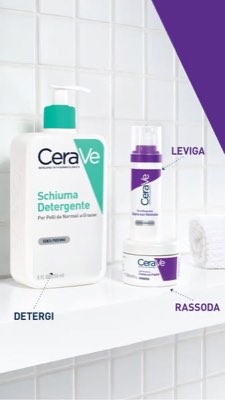
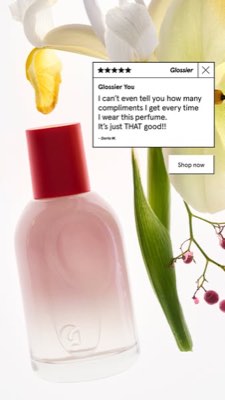
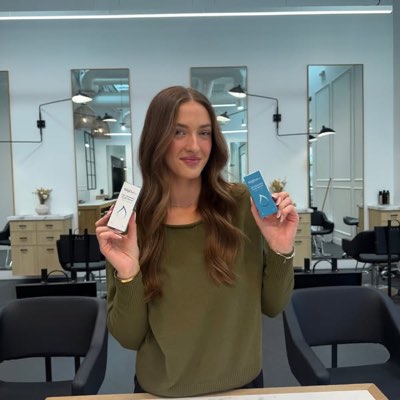








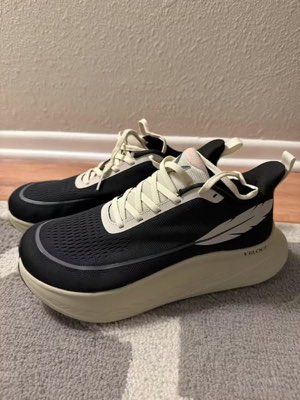
Un singur briefing. Peste tot în același timp.
Spune-o o dată. Hermoso găsește ce funcționează deja în piața ta, generează reclama finisată, o scoate pe unsprezece canale organice și douăsprezece platforme de reclame și îți citește rezultatele direct din propriile tale analize. Pornește de oriunde. Fiecare bucată funcționează de una singură.
- Threads
- TikTok
- YouTube
- X
- Bluesky
- Telegram
- Google Business Profile
- Meta
- Google Ads
- Microsoft Advertising
- Reddit Ads
- X Ads
- TikTok Ads
- Snapchat Ads
- ChatGPT Ads
- Apple Search Ads
- AppLovin Ads
- Messenger
- Instagram Direct
- X
- Bluesky
- Telegram
- Google Business Profile
- Intercom
- Google Analytics
- Google Tag Manager
- Google Search Console
- Bing Webmaster Tools
- PostHog
- Mixpanel
- Amplitude
- HubSpot
- Stripe
Echipa ta de marketing este deja în interiorul agentului tău.
Orice alt instrument de marketing îți cere să-i deschizi dashboardul. Hermoso se instalează direct în asistentul cu care vorbești deja. Un singur endpoint cu OAuth îi oferă agentului tău 922+ de instrumente (cercetare de reclame, randări finalizate, publicare, gestionarea campaniilor) și fiecare returnează un URL durabil de resursă sau un rezultat structurat, niciodată un zid de text pe care modelul să-l reanalizeze.
Copy the connector URL
Open Customize → Connectors
+ Add → Add custom connector → name it Hermoso → paste the URL.
Connect & approve
Sign in with your Hermoso account on the consent page, and no key is needed. Then ask Claude for “an image ad with Hermoso.”
Creează o cheie
În aplicația Hermoso deschide MCP & CLI → Terminal & API keys și creează o cheie. Grok Bot se conectează la Hermoso cu ea, așa că trateaz-o ca pe o parolă și nu o lipi niciodată într-un URL.
Adaugă Hermoso în Grok Bot
Cel mai rapid: adaugă Hermoso Marketing Bot și lipește cheia când ți-o cere. Folosești un Bot propriu? Lipește acest prompt în chatul lui, împreună cu cheia.
Începe să creezi
Cere-i lui Grok Bot „o reclamă cu imagine cu Hermoso” sau „adu reclamele concurenților mei care rulează de cel mai mult timp și fă un remix al celei mai bune”.
Copy the connector URL
Open Plugins → Add → Create MCP App
Name it Hermoso, paste the URL as the Server URL, keep OAuth → Create. No Create MCP App? Switch on Developer mode under Settings → Plugins.
Connect & approve
Sign in with your Hermoso account on the consent page, and no key is needed. Then ask ChatGPT for “an image ad with Hermoso.”
Install Hermoso in Claude Code
Run this once in your terminal. It adds five Hermoso skills (marketing, research, ad-from-brand, generate, product-photoshoot) that run the hermoso command through npx, so no tool list is loaded into your sessions and nothing costs context until it runs. Already inside a session? Type /plugin marketplace add hermoso-ai/hermoso, then /plugin install hermoso@hermoso.
Sign in once
Opens your browser to sign in with your Hermoso account. Your agent runs this itself the first time it needs Hermoso, so you can also skip it. No browser on that machine? Use npx -y hermoso auth login --token <your key> with a key from MCP & CLI.
Start creating
Ask Claude Code for “an image ad with Hermoso,” or “pull my competitors’ longest-running ads and remix the best one.” Claude Code picks the Hermoso skill for the job and runs the commands. You type none of them.
Install Hermoso in Cursor
Run this once in your terminal. It adds five Hermoso skills (marketing, research, ad-from-brand, generate, product-photoshoot) that run the hermoso command through npx, so no tool list is loaded into your sessions and nothing costs context until it runs. Add -g to install it for every project instead of the current one.
Sign in once
Opens your browser to sign in with your Hermoso account. Your agent runs this itself the first time it needs Hermoso, so you can also skip it. No browser on that machine? Use npx -y hermoso auth login --token <your key> with a key from MCP & CLI.
Start creating
Ask Cursor for “an image ad with Hermoso,” or “pull my competitors’ longest-running ads and remix the best one.” Cursor picks the Hermoso skill for the job and runs the commands. You type none of them.
Install Hermoso in Codex
Run this once in your terminal. It adds five Hermoso skills (marketing, research, ad-from-brand, generate, product-photoshoot) that run the hermoso command through npx, so no tool list is loaded into your sessions and nothing costs context until it runs.
Sign in once
Opens your browser to sign in with your Hermoso account. Your agent runs this itself the first time it needs Hermoso, so you can also skip it. No browser on that machine? Use npx -y hermoso auth login --token <your key> with a key from MCP & CLI.
Start creating
Ask Codex for “an image ad with Hermoso,” or “pull my competitors’ longest-running ads and remix the best one.” Codex picks the Hermoso skill for the job and runs the commands. You type none of them.
Copy the connector URL
Open Plugins → Connectors
New Connector → Custom → paste the URL (or go straight to grok.com/connectors). On Business and Enterprise plans a team admin adds it once for everyone.
Connect & approve
Sign in with your Hermoso account on the consent page, and no key is needed. Then ask Grok for “an image ad with Hermoso.”
Install Hermoso in Cline
Run this once in your terminal. It adds five Hermoso skills (marketing, research, ad-from-brand, generate, product-photoshoot) that run the hermoso command through npx, so no tool list is loaded into your sessions and nothing costs context until it runs. Add -g to install it for every project instead of the current one.
Sign in once
Opens your browser to sign in with your Hermoso account. Your agent runs this itself the first time it needs Hermoso, so you can also skip it. No browser on that machine? Use npx -y hermoso auth login --token <your key> with a key from MCP & CLI.
Start creating
Ask Cline for “an image ad with Hermoso,” or “pull my competitors’ longest-running ads and remix the best one.” Cline picks the Hermoso skill for the job and runs the commands. You type none of them.
Install Hermoso in OpenClaw
Run this once in your terminal. It adds five Hermoso skills (marketing, research, ad-from-brand, generate, product-photoshoot) that run the hermoso command through npx, so no tool list is loaded into your sessions and nothing costs context until it runs. Add -g to install it for every project instead of the current one.
Sign in once
Opens your browser to sign in with your Hermoso account. Your agent runs this itself the first time it needs Hermoso, so you can also skip it. No browser on that machine? Use npx -y hermoso auth login --token <your key> with a key from MCP & CLI.
Start creating
Ask OpenClaw for “an image ad with Hermoso,” or “pull my competitors’ longest-running ads and remix the best one.” OpenClaw picks the Hermoso skill for the job and runs the commands. You type none of them.
Install Hermoso in Hermes
Run this once in your terminal. It adds five Hermoso skills (marketing, research, ad-from-brand, generate, product-photoshoot) that run the hermoso command through npx, so no tool list is loaded into your sessions and nothing costs context until it runs. Add -g to install it for every project instead of the current one.
Sign in once
Opens your browser to sign in with your Hermoso account. Your agent runs this itself the first time it needs Hermoso, so you can also skip it. No browser on that machine? Use npx -y hermoso auth login --token <your key> with a key from MCP & CLI.
Start creating
Ask Hermes for “an image ad with Hermoso,” or “pull my competitors’ longest-running ads and remix the best one.” Hermes picks the Hermoso skill for the job and runs the commands. You type none of them.
Copy the connector URL
Any client that takes an MCP server URL can use this one.
Or spawn it locally
Clients that launch a local process take this instead, which costs no context until a tool runs.
Neither shape fits?
There is a plain REST API at app.hermoso.ai/v1 with the same tools behind an hmk_ key, for an agent that speaks HTTP and nothing else.
„Găsește-mi reclamele Meta cu cea mai lungă durată de rulare pentru cei mai apropiați trei competitori ai mei, spune-mi ce hook se tot repetă, apoi fă-mi o reclamă video UGC 9:16 folosind acel hook (cu poza reală a produsului meu, cu subtitrări încorporate) și programeaz-o pe Instagram și TikTok pentru marți la ora 9.”
Cele mai mari branduri din lume rulează deja reclame AI. Acum e un instrument, nu un buget de studio.
Vezi ce câștigă deja. Înainte să cheltuiești un ban.
Ad Spy scanează bibliotecile Meta, Google și LinkedIn plus fluxurile organice TikTok, Instagram, YouTube, Reddit și Threads și clasifică creativele din categoria ta după cât timp au continuat să ruleze. Asta spune mult mai mult despre ce convertește decât despre ce arată bine.
Nou: Hermoso pentru Chrome. Salvează orice reclamă din bibliotecile de reclame, TikTok, Instagram sau YouTube Shorts în swipefile dintr-un clic, vezi de cât timp rulează și clonează-o pentru brandul tău. Ia extensia Chrome → Cauți oameni cu care să colaborezi? Creator Search găsește creatorii care câștigă deja în nișa ta.
Scanează-ți piața →
Descrie-o. Studioul se ocupă de concept, casting și text.
Un singur chat planifică unghiul, scrie textul, distribuie creatorul și randează reclama. Produsul și brandul tău real rămân integrate, iar textul e compozitat perfect la pixel, astfel că logo-urile nu se denaturează niciodată.
Nou: Ads Studio. Alege produse din catalog, spune câte reclame pentru fiecare și primești un lot de reclame statice finalizate, fiecare cu alt layout, cu produsul și logo-ul tău real. Vezi Ads Studio → Sau lipește linkul oricărui video ca să-l clonezi pentru brandul tău, cu o persoană nouă pe ecran, reală sau un prezentator AI descris în propriile tale cuvinte. Cum funcționează clonarea video →
Deschide studioul →
Finalizat înseamnă finalizat. Salvează, variază, publică.
Fiecare render ajunge în biblioteca ta gata de rulat, la fel și orice încarci tu. Publică organic direct pe Facebook, Instagram, Threads, TikTok, YouTube, X, LinkedIn, Pinterest, Bluesky, Telegram și Google Business Profile, fie acum, fie programat într-un calendar de conținut real. Apoi construiește, citește și optimizează campaniile plătite din spate pe douăsprezece platforme de reclame, fără să ieși din Hermoso. Pornește pilotul automat și creează zilnic postări noi din brandul tău, pe care le aprobi sau care pleacă singure, în timp ce automatizările DM răspund la comentarii și DM-uri pe Instagram, Facebook, Messenger și X.
- Threads
- TikTok
- YouTube
- X
- Bluesky
- Telegram
- Meta
- Google Ads
- Microsoft Advertising
- Reddit Ads
- X Ads
- TikTok Ads
- Snapchat Ads
- ChatGPT Ads
- Apple Search Ads
- AppLovin Ads

Fiecare format pe care feed-ul îl știe. Acum e al tău.
Film cinematic, un thread care se citește ca un DM real, un beneficiu care intră într-un singur ecran. Alege forma, adaugă-ți brandul și se randează gata. Treci cu mouse-ul sau atinge orice cadru ca să-l vezi mișcându-se.
Studio vine cu peste 40 de formate de reclame video, fiecare cu casting și randare în brandul tău
Un singur studio. Mereu cele mai noi modele.
A built-in model router picks the best model for every job.
Fără adaos la modele.
Planurile diferă prin credite, iar planurile plătite adaugă fețe reale din propriile tale fotografii. Folosește o parte din Hermoso sau tot. Programarea, gestionarea campaniilor, măsurarea și profilurile nelimitate sunt în fiecare plan, inclusiv Free.
Bine de știut
https://app.hermoso.ai/mcp, deci funcționează nemodificat în ChatGPT, Claude, Claude Desktop, Codex, Cursor, Cline, OpenClaw, Hermes și orice alt client MCP. Există și un CLI npm (npm install -g hermoso) pentru agenții din terminal care preferă să lucreze direct în shell, plus abilități Claude instalabile care împachetează fluxurile de lucru uzuale.hermoso în loc de un server MCP. În Claude Code, tastează /plugin marketplace add hermoso-ai/hermoso, apoi /plugin install hermoso@hermoso. În Codex, rulează codex plugin marketplace add hermoso-ai/hermoso, apoi codex plugin add hermoso@hermoso. În Gemini CLI, rulează gemini extensions install https://github.com/hermoso-ai/hermoso. În Cursor sau în orice alt agent care acceptă skill-uri, rulează npx skills add hermoso-ai/hermoso -a cursor, cu numele propriului agent după -a. Apoi autentifică-te o singură dată cu npx -y hermoso auth login. În Claude.ai, ChatGPT sau orice altă aplicație de chat, lipește https://app.hermoso.ai/mcp în Settings → Connectors și aprobă-l cu contul tău Hermoso. Nimic de auto-găzduit, iar totul se plătește din creditele tale.set_meta_campaign_status, set_google_ads_status, set_microsoft_ads_status, set_reddit_ads_status, set_linkedin_ads_status, set_pinterest_ads_status, set_x_ads_status și set_openai_ads_status printre ele) refuză fiecare să ruleze fără un indicator explicit de confirmare. Generarea consumă credite din soldul tău, iar costul exact per randare al fiecărui model este publicat prin hermoso_capabilities, așa că agentul îți poate spune un număr înainte să randeze.Următoarea ta reclamă e la
un singur prompt distanță.
Fără card de credit · Începe cu 250+ credite gratuite, câștigă pe măsură ce avansezi