Dein
KI-Marketing-Agent.
Der KI-Werbegenerator, der deine Inhalte auch überall postet und deine bezahlten Kampagnen steuert, direkt aus Claude, ChatGPT oder Cursor.
Veröffentliche und plane auf 11 organischen Kanälen. Erstelle und steuere die Kampagnen auf 12 Werbeplattformen. Ein Login.
Keine Kreditkarte · Starte mit 250+ Gratis-Credits · Kein Aufschlag auf Modelle


Schluss mit dem Hin und Her zwischen fünf Apps.
Die meisten KI-Werbetools hören beim Rendern auf. Du promptest im einen, lädst herunter, lädst ins nächste hoch und baust dann jede Kampagne von Hand neu. Hermoso übernimmt den ganzen Kreislauf: recherchieren, rendern, veröffentlichen, Anzeigen schalten und Ergebnisse auslesen. Verbinde es mit Claude oder öffne das Studio. Bring den Geschmack mit, die Schwerstarbeit machen wir.

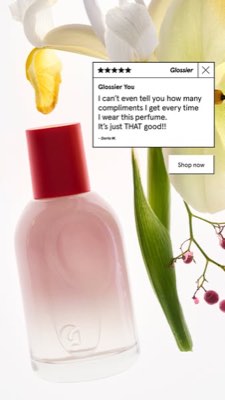
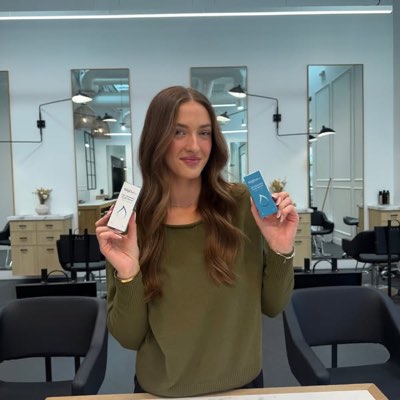








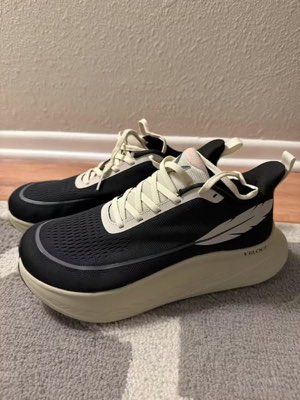
Ein Brief. Überall gleichzeitig.
Sag es einmal. Hermoso findet, was in deinem Markt schon funktioniert, rendert die fertige Anzeige, spielt sie über elf organische Kanäle und zwölf Werbeplattformen aus und liest die Ergebnisse direkt aus deiner eigenen Analytics zurück. Starte, wo du willst. Jeder Baustein funktioniert für sich.
- Threads
- TikTok
- YouTube
- X
- Bluesky
- Telegram
- Google Business Profile
- Meta
- Google Ads
- Microsoft Advertising
- Reddit Ads
- X Ads
- TikTok Ads
- Snapchat Ads
- ChatGPT Ads
- Apple Search Ads
- AppLovin Ads
- Messenger
- Instagram Direct
- X
- Bluesky
- Telegram
- Google Business Profile
- Intercom
- Google Analytics
- Google Tag Manager
- Google Search Console
- Bing Webmaster Tools
- PostHog
- Mixpanel
- Amplitude
- HubSpot
- Stripe
Dein Marketing-Team ist schon in deinem Agenten.
Jedes andere Marketing-Tool verlangt, dass du sein Dashboard öffnest. Hermoso installiert sich direkt in den Assistenten, mit dem du ohnehin sprichst. Ein OAuth’d Endpoint reicht deinem Agenten 922+ Tools – Anzeigen-Recherche, fertige Renders, Veröffentlichung, Kampagnen-Management – und jedes liefert eine dauerhafte Asset-URL oder ein strukturiertes Ergebnis zurück, nie eine Textwand, die das Modell neu parsen muss.
Copy the connector URL
Open Customize → Connectors
+ Add → Add custom connector → name it Hermoso → paste the URL.
Connect & approve
Sign in with your Hermoso account on the consent page, and no key is needed. Then ask Claude for “an image ad with Hermoso.”
Schlüssel erstellen
Öffne in der Hermoso-App MCP & CLI → Terminal & API keys und erstelle einen Schlüssel. Grok Bot meldet sich damit bei Hermoso an. Behandle ihn also wie ein Passwort und füge ihn nie in eine URL ein.
Hermoso zu Grok Bot hinzufügen
Am schnellsten: Füge den Hermoso Marketing Bot hinzu und gib deinen Schlüssel ein, wenn er danach fragt. Du nutzt einen eigenen Bot? Füge diesen Prompt zusammen mit deinem Schlüssel in seinen Chat ein.
Loslegen
Bitte Grok Bot um „eine Bildanzeige mit Hermoso“ oder „hol die am längsten laufenden Anzeigen meiner Konkurrenz und remixe die beste“.
Copy the connector URL
Open Plugins → Add → Create MCP App
Name it Hermoso, paste the URL as the Server URL, keep OAuth → Create. No Create MCP App? Switch on Developer mode under Settings → Plugins.
Connect & approve
Sign in with your Hermoso account on the consent page, and no key is needed. Then ask ChatGPT for “an image ad with Hermoso.”
Install Hermoso in Claude Code
Run this once in your terminal. It adds five Hermoso skills (marketing, research, ad-from-brand, generate, product-photoshoot) that run the hermoso command through npx, so no tool list is loaded into your sessions and nothing costs context until it runs. Already inside a session? Type /plugin marketplace add hermoso-ai/hermoso, then /plugin install hermoso@hermoso.
Sign in once
Opens your browser to sign in with your Hermoso account. Your agent runs this itself the first time it needs Hermoso, so you can also skip it. No browser on that machine? Use npx -y hermoso auth login --token <your key> with a key from MCP & CLI.
Start creating
Ask Claude Code for “an image ad with Hermoso,” or “pull my competitors’ longest-running ads and remix the best one.” Claude Code picks the Hermoso skill for the job and runs the commands. You type none of them.
Install Hermoso in Cursor
Run this once in your terminal. It adds five Hermoso skills (marketing, research, ad-from-brand, generate, product-photoshoot) that run the hermoso command through npx, so no tool list is loaded into your sessions and nothing costs context until it runs. Add -g to install it for every project instead of the current one.
Sign in once
Opens your browser to sign in with your Hermoso account. Your agent runs this itself the first time it needs Hermoso, so you can also skip it. No browser on that machine? Use npx -y hermoso auth login --token <your key> with a key from MCP & CLI.
Start creating
Ask Cursor for “an image ad with Hermoso,” or “pull my competitors’ longest-running ads and remix the best one.” Cursor picks the Hermoso skill for the job and runs the commands. You type none of them.
Install Hermoso in Codex
Run this once in your terminal. It adds five Hermoso skills (marketing, research, ad-from-brand, generate, product-photoshoot) that run the hermoso command through npx, so no tool list is loaded into your sessions and nothing costs context until it runs.
Sign in once
Opens your browser to sign in with your Hermoso account. Your agent runs this itself the first time it needs Hermoso, so you can also skip it. No browser on that machine? Use npx -y hermoso auth login --token <your key> with a key from MCP & CLI.
Start creating
Ask Codex for “an image ad with Hermoso,” or “pull my competitors’ longest-running ads and remix the best one.” Codex picks the Hermoso skill for the job and runs the commands. You type none of them.
Copy the connector URL
Open Plugins → Connectors
New Connector → Custom → paste the URL (or go straight to grok.com/connectors). On Business and Enterprise plans a team admin adds it once for everyone.
Connect & approve
Sign in with your Hermoso account on the consent page, and no key is needed. Then ask Grok for “an image ad with Hermoso.”
Install Hermoso in Cline
Run this once in your terminal. It adds five Hermoso skills (marketing, research, ad-from-brand, generate, product-photoshoot) that run the hermoso command through npx, so no tool list is loaded into your sessions and nothing costs context until it runs. Add -g to install it for every project instead of the current one.
Sign in once
Opens your browser to sign in with your Hermoso account. Your agent runs this itself the first time it needs Hermoso, so you can also skip it. No browser on that machine? Use npx -y hermoso auth login --token <your key> with a key from MCP & CLI.
Start creating
Ask Cline for “an image ad with Hermoso,” or “pull my competitors’ longest-running ads and remix the best one.” Cline picks the Hermoso skill for the job and runs the commands. You type none of them.
Install Hermoso in OpenClaw
Run this once in your terminal. It adds five Hermoso skills (marketing, research, ad-from-brand, generate, product-photoshoot) that run the hermoso command through npx, so no tool list is loaded into your sessions and nothing costs context until it runs. Add -g to install it for every project instead of the current one.
Sign in once
Opens your browser to sign in with your Hermoso account. Your agent runs this itself the first time it needs Hermoso, so you can also skip it. No browser on that machine? Use npx -y hermoso auth login --token <your key> with a key from MCP & CLI.
Start creating
Ask OpenClaw for “an image ad with Hermoso,” or “pull my competitors’ longest-running ads and remix the best one.” OpenClaw picks the Hermoso skill for the job and runs the commands. You type none of them.
Install Hermoso in Hermes
Run this once in your terminal. It adds five Hermoso skills (marketing, research, ad-from-brand, generate, product-photoshoot) that run the hermoso command through npx, so no tool list is loaded into your sessions and nothing costs context until it runs. Add -g to install it for every project instead of the current one.
Sign in once
Opens your browser to sign in with your Hermoso account. Your agent runs this itself the first time it needs Hermoso, so you can also skip it. No browser on that machine? Use npx -y hermoso auth login --token <your key> with a key from MCP & CLI.
Start creating
Ask Hermes for “an image ad with Hermoso,” or “pull my competitors’ longest-running ads and remix the best one.” Hermes picks the Hermoso skill for the job and runs the commands. You type none of them.
Copy the connector URL
Any client that takes an MCP server URL can use this one.
Or spawn it locally
Clients that launch a local process take this instead, which costs no context until a tool runs.
Neither shape fits?
There is a plain REST API at app.hermoso.ai/v1 with the same tools behind an hmk_ key, for an agent that speaks HTTP and nothing else.
“Finde die am längsten laufenden Meta-Anzeigen meiner drei nächsten Wettbewerber, sag mir, welcher Hook sich ständig wiederholt, und mach mir daraus eine 9:16-UGC-Videoanzeige mit diesem Hook (mit meinem echten Produktfoto, eingebrannten Untertiteln) und plane sie für Dienstag 9 Uhr auf Instagram und TikTok.”
Die größten Marken der Welt schalten längst KI-Anzeigen. Jetzt ist es ein Werkzeug, kein Studiobudget.
Sieh, was bereits gewinnt. Bevor du auch nur einen Euro ausgibst.
Ad Spy durchsucht die Meta-, Google- und LinkedIn-Anzeigenbibliotheken sowie die organischen Feeds von TikTok, Instagram, YouTube, Reddit und Threads und rankt die Creatives deiner Kategorie danach, wie lange sie liefen. Das sagt viel mehr darüber, was konvertiert, als darüber, was gut aussieht.
Neu: Hermoso für Chrome. Speichere jede Anzeige aus den Anzeigenbibliotheken, von TikTok, Instagram oder YouTube Shorts mit einem Klick in deinem Swipefile, sieh, wie lange sie schon läuft, und klone sie für deine Marke. Hol dir die Chrome-Erweiterung → Du suchst Leute für eine Zusammenarbeit? Die Creator-Suche findet die Creator, die in deiner Nische schon vorn liegen.
Scanne deinen Markt →
Beschreib es. Das Studio übernimmt Konzept, Casting und Text.
Ein Chat entwickelt den Aufhänger, schreibt den Text, castet den Creator und rendert die Anzeige. Dein echtes Produkt und deine Marke bleiben fest verankert, und Text wird pixelgenau eingeblendet, damit Wortmarken nie verzerrt werden.
Neu: Ads Studio. Wähle Produkte aus deinem Katalog, sag, wie viele Anzeigen pro Produkt, und bekomm einen Batch fertiger statischer Anzeigen, jede in einem anderen Layout, mit deinem echten Produkt und Logo. Zum Ads Studio → Oder füge den Link zu einem beliebigen Video ein, um es für deine Marke zu klonen, mit einer neuen Person vor der Kamera, echt oder ein KI-Presenter, den du in eigenen Worten beschreibst. So funktioniert das Video-Klonen →
Studio öffnen →
Fertig heißt fertig. Speichern, variieren, veröffentlichen.
Jedes Rendering landet startklar in deiner Bibliothek, und alles, was du hochlädst, ebenfalls. Veröffentliche organisch direkt auf Facebook, Instagram, Threads, TikTok, YouTube, X, LinkedIn, Pinterest, Bluesky, Telegram und Google Business Profile, entweder sofort oder geplant in einem echten Content-Kalender. Baue, lies und optimiere dann die bezahlten Kampagnen dahinter auf zwölf Werbeplattformen, ohne Hermoso zu verlassen. Schalte den Autopilot ein, und er macht jeden Tag frische Posts aus deiner Marke, zum Freigeben oder zum automatischen Veröffentlichen, während DM-Automatisierungen Kommentare und DMs auf Instagram, Facebook, Messenger und X beantworten.
- Threads
- TikTok
- YouTube
- X
- Bluesky
- Telegram
- Meta
- Google Ads
- Microsoft Advertising
- Reddit Ads
- X Ads
- TikTok Ads
- Snapchat Ads
- ChatGPT Ads
- Apple Search Ads
- AppLovin Ads

Jedes Format, das dein Feed kennt. Jetzt selbst gemacht.
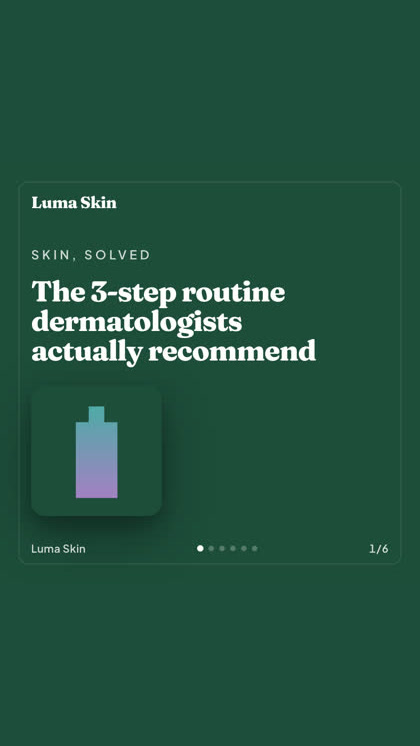
Kino-Film, ein Thread, der sich wie eine echte DM liest, ein Verkaufsargument, das auf einen Screen passt. Form wählen, Marke rein, fertig gerendert. Fahr drüber oder tipp drauf, um es in Bewegung zu sehen.
Studio liefert 40+ Video-Anzeigenformate, jedes besetzt und gerendert für deine Marke
Ein Studio. Immer die neuesten Modelle.
A built-in model router picks the best model for every job.
Kein Aufschlag auf Modelle.
Die Tarife unterscheiden sich in den Credits, und bezahlte Tarife ergänzen echte Gesichter aus deinen eigenen Fotos. Nutz einen Teil von Hermoso oder alles. Planung, Kampagnenverwaltung, Messung und unbegrenzte Profile sind in jedem Tarif enthalten, Free inklusive.
Gut zu wissen
https://app.hermoso.ai/mcp bereit, der ohne Anpassungen in ChatGPT, Claude, Claude Desktop, Codex, Cursor, Cline, OpenClaw, Hermes und jedem anderen MCP-Client läuft. Außerdem gibt es eine npm-CLI (npm install -g hermoso) für Terminal-Agenten, die lieber die Shell nutzen, sowie installierbare Claude-Skills, die die gängigen Workflows kapseln.hermoso-CLI steuern. In Claude Code tippst du /plugin marketplace add hermoso-ai/hermoso und dann /plugin install hermoso@hermoso. In Codex führst du codex plugin marketplace add hermoso-ai/hermoso und dann codex plugin add hermoso@hermoso aus. In Gemini CLI führst du gemini extensions install https://github.com/hermoso-ai/hermoso aus. In Cursor oder jedem anderen Agenten, der Skills unterstützt, führst du npx skills add hermoso-ai/hermoso -a cursor aus und nennst nach -a deinen eigenen Agenten. Danach meldest du dich einmal mit npx -y hermoso auth login an. In Claude.ai, ChatGPT oder jeder anderen Chat-App fügst du https://app.hermoso.ai/mcp unter Einstellungen → Connectors ein und bestätigst mit deinem Hermoso-Konto. Nichts selbst zu hosten, und alles wird über deine Credits abgerechnet.set_meta_campaign_status, set_google_ads_status, set_microsoft_ads_status, set_reddit_ads_status, set_linkedin_ads_status, set_pinterest_ads_status, set_x_ads_status und set_openai_ads_status – verweigern jeweils die Ausführung ohne ein explizites Bestätigungs-Flag. Die Generierung verbraucht Credits von deinem Guthaben, und die genauen Kosten pro Render sind für jedes Modell über hermoso_capabilities veröffentlicht, sodass der Agent dir eine Zahl nennen kann, bevor er rendert.Deine nächste Anzeige ist
einen Prompt entfernt.
Keine Kreditkarte · Starte mit 250+ kostenlosen Credits, verdiene weitere unterwegs