Yapay zeka
pazarlama ajanınız.
İçeriğinizi her yerde yayınlayan ve ücretli kampanyalarınızı yöneten yapay zeka reklam oluşturucu; hepsi Claude, ChatGPT veya Cursor içinden.
11 organik kanala yayınlayın ve programlayın. 12 reklam platformunda kampanyalar oluşturup yürütün. Tek giriş.
Kredi kartı gerekmez · 250+ ücretsiz krediyle başlayın · Modellerde kâr payı yok


Beş uygulama arasında gidip gelmeyi bırakın.
Çoğu yapay zeka reklam aracı işi görselde bırakır. Birinde komut verir, indirir, diğerine yükler, ardından her kampanyayı elle yeniden kurarsınız. Hermoso tüm döngüyü yürütür: araştırma, üretim, yayın, reklam yönetimi ve sonuç analizi. Claude'a bağlayın ya da stüdyoyu açın. Zevki siz katın, ağır işi biz yapalım.
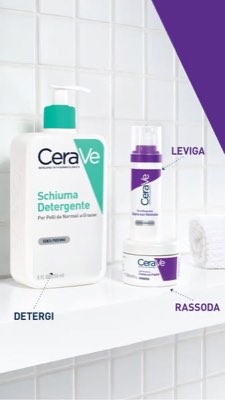
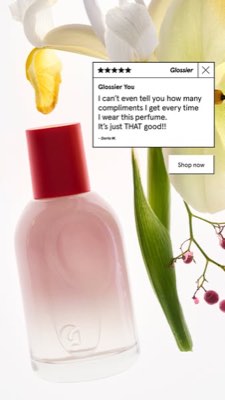
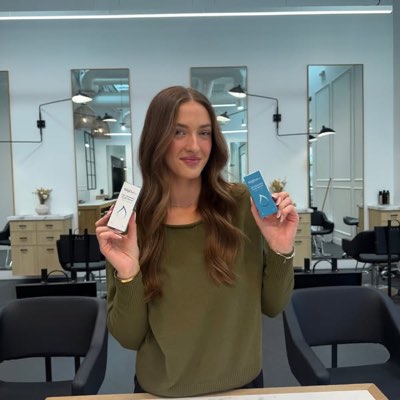








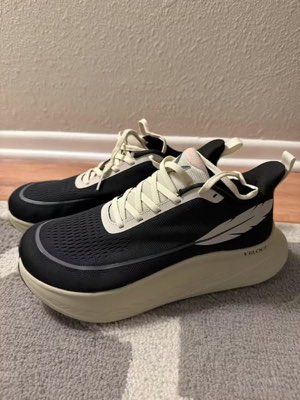
Bir kısa özet. Her yerde aynı anda.
Bir kez söyleyin. Hermoso pazarınızda halihazırda işe yarayanı bulur, bitmiş reklamı oluşturur, on bir organik kanal ve on iki reklam platformuna yayar ve sonuçları kendi analizlerinizden geri okur. İstediğiniz yerden başlayın. Her parça kendi başına çalışır.
- Threads
- TikTok
- YouTube
- X
- Bluesky
- Telegram
- Google Business Profile
- Meta
- Google Ads
- Microsoft Advertising
- Reddit Ads
- X Ads
- TikTok Ads
- Snapchat Ads
- ChatGPT Ads
- Apple Search Ads
- AppLovin Ads
- Messenger
- Instagram Direct
- X
- Bluesky
- Telegram
- Google Business Profile
- Intercom
- Google Analytics
- Google Tag Manager
- Google Search Console
- Bing Webmaster Tools
- PostHog
- Mixpanel
- Amplitude
- HubSpot
- Stripe
Pazarlama ekibiniz zaten ajanınızın içinde.
Diğer her pazarlama aracı sizden kendi panosunu açmanızı ister. Hermoso ise zaten konuştuğunuz asistanın içine kurulur. OAuth'lu tek bir uç nokta ajanınıza 922+ araç sunar (reklam araştırması, bitmiş çıktılar, yayınlama, kampanya yönetimi) ve her biri modelin yeniden ayrıştırması gereken bir metin yığını değil, kalıcı bir varlık URL'si veya yapılandırılmış bir sonuç döndürür.
Copy the connector URL
Open Customize → Connectors
+ Add → Add custom connector → name it Hermoso → paste the URL.
Connect & approve
Sign in with your Hermoso account on the consent page, and no key is needed. Then ask Claude for “an image ad with Hermoso.”
Bir anahtar oluşturun
Hermoso uygulamasında MCP & CLI → Terminal & API keys bölümünü açın ve bir anahtar oluşturun. Grok Bot, Hermoso'ya bu anahtarla giriş yapar. Bu yüzden onu bir parola gibi koruyun ve asla bir URL'ye yapıştırmayın.
Hermoso'yu Grok Bot'a ekleyin
En hızlısı: Hermoso Marketing Bot adlı botu ekleyin ve sorduğunda anahtarınızı yapıştırın. Kendi Bot'unuzu mu kullanıyorsunuz? Bu istemi anahtarınızla birlikte onun sohbetine yapıştırın.
Üretmeye başlayın
Grok Bot'tan “Hermoso ile bir görsel reklam” isteyin ya da “rakiplerimin en uzun süredir yayında olan reklamlarını getir ve en iyisini yeniden düzenle” deyin.
Copy the connector URL
Open Plugins → Add → Create MCP App
Name it Hermoso, paste the URL as the Server URL, keep OAuth → Create. No Create MCP App? Switch on Developer mode under Settings → Plugins.
Connect & approve
Sign in with your Hermoso account on the consent page, and no key is needed. Then ask ChatGPT for “an image ad with Hermoso.”
Install Hermoso in Claude Code
Run this once in your terminal. It adds five Hermoso skills (marketing, research, ad-from-brand, generate, product-photoshoot) that run the hermoso command through npx, so no tool list is loaded into your sessions and nothing costs context until it runs. Already inside a session? Type /plugin marketplace add hermoso-ai/hermoso, then /plugin install hermoso@hermoso.
Sign in once
Opens your browser to sign in with your Hermoso account. Your agent runs this itself the first time it needs Hermoso, so you can also skip it. No browser on that machine? Use npx -y hermoso auth login --token <your key> with a key from MCP & CLI.
Start creating
Ask Claude Code for “an image ad with Hermoso,” or “pull my competitors’ longest-running ads and remix the best one.” Claude Code picks the Hermoso skill for the job and runs the commands. You type none of them.
Install Hermoso in Cursor
Run this once in your terminal. It adds five Hermoso skills (marketing, research, ad-from-brand, generate, product-photoshoot) that run the hermoso command through npx, so no tool list is loaded into your sessions and nothing costs context until it runs. Add -g to install it for every project instead of the current one.
Sign in once
Opens your browser to sign in with your Hermoso account. Your agent runs this itself the first time it needs Hermoso, so you can also skip it. No browser on that machine? Use npx -y hermoso auth login --token <your key> with a key from MCP & CLI.
Start creating
Ask Cursor for “an image ad with Hermoso,” or “pull my competitors’ longest-running ads and remix the best one.” Cursor picks the Hermoso skill for the job and runs the commands. You type none of them.
Install Hermoso in Codex
Run this once in your terminal. It adds five Hermoso skills (marketing, research, ad-from-brand, generate, product-photoshoot) that run the hermoso command through npx, so no tool list is loaded into your sessions and nothing costs context until it runs.
Sign in once
Opens your browser to sign in with your Hermoso account. Your agent runs this itself the first time it needs Hermoso, so you can also skip it. No browser on that machine? Use npx -y hermoso auth login --token <your key> with a key from MCP & CLI.
Start creating
Ask Codex for “an image ad with Hermoso,” or “pull my competitors’ longest-running ads and remix the best one.” Codex picks the Hermoso skill for the job and runs the commands. You type none of them.
Copy the connector URL
Open Plugins → Connectors
New Connector → Custom → paste the URL (or go straight to grok.com/connectors). On Business and Enterprise plans a team admin adds it once for everyone.
Connect & approve
Sign in with your Hermoso account on the consent page, and no key is needed. Then ask Grok for “an image ad with Hermoso.”
Install Hermoso in Cline
Run this once in your terminal. It adds five Hermoso skills (marketing, research, ad-from-brand, generate, product-photoshoot) that run the hermoso command through npx, so no tool list is loaded into your sessions and nothing costs context until it runs. Add -g to install it for every project instead of the current one.
Sign in once
Opens your browser to sign in with your Hermoso account. Your agent runs this itself the first time it needs Hermoso, so you can also skip it. No browser on that machine? Use npx -y hermoso auth login --token <your key> with a key from MCP & CLI.
Start creating
Ask Cline for “an image ad with Hermoso,” or “pull my competitors’ longest-running ads and remix the best one.” Cline picks the Hermoso skill for the job and runs the commands. You type none of them.
Install Hermoso in OpenClaw
Run this once in your terminal. It adds five Hermoso skills (marketing, research, ad-from-brand, generate, product-photoshoot) that run the hermoso command through npx, so no tool list is loaded into your sessions and nothing costs context until it runs. Add -g to install it for every project instead of the current one.
Sign in once
Opens your browser to sign in with your Hermoso account. Your agent runs this itself the first time it needs Hermoso, so you can also skip it. No browser on that machine? Use npx -y hermoso auth login --token <your key> with a key from MCP & CLI.
Start creating
Ask OpenClaw for “an image ad with Hermoso,” or “pull my competitors’ longest-running ads and remix the best one.” OpenClaw picks the Hermoso skill for the job and runs the commands. You type none of them.
Install Hermoso in Hermes
Run this once in your terminal. It adds five Hermoso skills (marketing, research, ad-from-brand, generate, product-photoshoot) that run the hermoso command through npx, so no tool list is loaded into your sessions and nothing costs context until it runs. Add -g to install it for every project instead of the current one.
Sign in once
Opens your browser to sign in with your Hermoso account. Your agent runs this itself the first time it needs Hermoso, so you can also skip it. No browser on that machine? Use npx -y hermoso auth login --token <your key> with a key from MCP & CLI.
Start creating
Ask Hermes for “an image ad with Hermoso,” or “pull my competitors’ longest-running ads and remix the best one.” Hermes picks the Hermoso skill for the job and runs the commands. You type none of them.
Copy the connector URL
Any client that takes an MCP server URL can use this one.
Or spawn it locally
Clients that launch a local process take this instead, which costs no context until a tool runs.
Neither shape fits?
There is a plain REST API at app.hermoso.ai/v1 with the same tools behind an hmk_ key, for an agent that speaks HTTP and nothing else.
“En yakın üç rakibimin en uzun süredir yayında olan Meta reklamlarını bul, hangi kancanın tekrarlayıp durduğunu söyle, sonra o kancayı kullanarak bana 9:16 bir UGC video reklamı yap (gerçek ürün fotoğrafım, altyazılar gömülü) ve salı sabah 9'da Instagram ve TikTok'a planla.”
Dünyanın en büyük markaları zaten yapay zeka reklamları yayınlıyor. Artık bir stüdyo bütçesi değil, bir araç.
Zaten neyin kazandığını görün. Tek dolar harcamadan önce.
Ad Spy; Meta, Google ve LinkedIn kütüphanelerini tarar ve TikTok, Instagram, YouTube, Reddit ve Threads organik akışlarını arar, ardından kategorinizdeki yaratıcı içerikleri ne kadar süre yayında kaldıklarına göre sıralar. Bu süre, neyin gerçekten dönüştürdüğünü güzel görünümden çok daha iyi gösterir.
Yeni: Chrome için Hermoso. Reklam kütüphanelerinden, TikTok, Instagram ya da YouTube Shorts'tan herhangi bir reklamı tek tıkla swipefile'ınıza kaydedin, ne kadar süredir yayında olduğunu görün ve markanız için klonlayın. Chrome uzantısını edinin → Birlikte çalışacak insanlar mı arıyorsunuz? Creator Search, nişinizde zaten öne çıkan içerik üreticilerini bulur.
Pazarınızı tarayın →
Anlatın. Konsepti, oyuncu seçimini, metni stüdyo halleder.
Tek bir sohbet açıyı planlar, metni yazar, içerik üreticisini seçer ve render eder. Gerçek ürününüz ve markanız kilitli kalır, kelime işaretlerinin hiç bozulmadığı piksel mükemmelliğinde metin kompozit edilir.
Yeni: Ads Studio. Kataloğunuzdan ürünleri seçin, her biri için kaç reklam istediğinizi söyleyin ve her biri farklı bir düzende, gerçek ürününüz ve logonuzla bir grup hazır statik reklam alın. Ads Studio'yu görün → Ya da herhangi bir videonun bağlantısını yapıştırıp markanız için klonlayın; ekranda yeni bir kişi, gerçek biri ya da kendi sözlerinizle tarif ettiğiniz bir yapay zeka sunucusu olsun. Video klonlama nasıl çalışır →
Stüdyoyu açın →
Bitmiş demek bitmiş demek. Kaydedin, çeşitleyin, yayınlayın.
Her üretim yayına hazır şekilde kütüphanenize düşer, yüklediğiniz her şey de. Organik içeriği doğrudan Facebook, Instagram, Threads, TikTok, YouTube, X, LinkedIn, Pinterest, Bluesky, Telegram ve Google Business Profile'da yayınlayın, ister hemen ister gerçek bir içerik takviminde planlanmış olarak. Ardından arkasındaki ücretli kampanyaları on iki reklam platformunda, Hermoso'dan çıkmadan kurun, okuyun ve optimize edin. Otopilotu açın, markanızdan her gün taze gönderiler üretsin, ister sizin onayınıza ister kendi kendine yayına çıkmak üzere; bu sırada DM otomasyonları Instagram, Facebook, Messenger ve X'teki yorumları ve DM'leri yanıtlar.
- Threads
- TikTok
- YouTube
- X
- Bluesky
- Telegram
- Meta
- Google Ads
- Microsoft Advertising
- Reddit Ads
- X Ads
- TikTok Ads
- Snapchat Ads
- ChatGPT Ads
- Apple Search Ads
- AppLovin Ads

Akışınızın bildiği her format. Artık sizin elinizde.
Sinematik film, gerçek bir DM gibi okunan sohbet, tek ekranda vuran bir değer önerisi. Şekli seç, markanı bırak, hazır olarak çıksın. Kutucukların üzerine gel ya da dokun, harekete geçsin.
Stüdyo 40+ video reklam formatı sunuyor ve her biri markanız için sahnelenip render edilir
Tek stüdyo. Her zaman en yeni modeller.
A built-in model router picks the best model for every job.
Modellerde kâr payı yok.
Planlar kredilere göre farklıdır ve ücretli planlar kendi fotoğraflarınızdan gerçek yüzler ekler. Hermoso'nun bir parçasını ya da tamamını kullanın. Planlama, kampanya yönetimi, ölçüm ve sınırsız profil her planda var, Free dahil.
Bilmeniz gerekenler
https://app.hermoso.ai/mcp adresinde barındırılan bir MCP sunucusu sunar; böylece ChatGPT, Claude, Claude Desktop, Codex, Cursor, Cline, OpenClaw, Hermes ve diğer tüm MCP istemcilerinde hiçbir değişiklik yapmadan çalışır. Terminale çıkmayı tercih eden ajanlar için bir npm CLI (npm install -g hermoso), ayrıca yaygın iş akışlarını saran, kurulabilir Claude becerileri de var.hermoso CLI'ını çalıştıran beş Hermoso becerisi kurar. Claude Code'da /plugin marketplace add hermoso-ai/hermoso yazın, ardından /plugin install hermoso@hermoso yazın. Codex'te codex plugin marketplace add hermoso-ai/hermoso çalıştırın, ardından codex plugin add hermoso@hermoso çalıştırın. Gemini CLI'da gemini extensions install https://github.com/hermoso-ai/hermoso çalıştırın. Cursor'da veya becerileri destekleyen başka bir ajanda npx skills add hermoso-ai/hermoso -a cursor çalıştırın ve -a sonrasına kendi ajanınızın adını yazın. Ardından npx -y hermoso auth login ile bir kez oturum açın. Claude.ai, ChatGPT veya başka bir sohbet uygulamasında https://app.hermoso.ai/mcp adresini Ayarlar → Bağlayıcılar altına yapıştırın ve Hermoso hesabınızla onaylayın. Kendiniz barındıracak bir şey yok ve her şey kredilerinizden düşer.set_meta_campaign_status, set_google_ads_status, set_microsoft_ads_status, set_reddit_ads_status, set_linkedin_ads_status, set_pinterest_ads_status, set_x_ads_status ve set_openai_ads_status bunların arasında) açık bir onay bayrağı olmadan çalışmayı reddeder. Üretim, bakiyenizdeki kredileri harcar ve her modelin render başına tam maliyeti hermoso_capabilities aracılığıyla yayımlanır; böylece aracı, render işleminden önce size bir rakam verebilir.Bir sonraki reklamınız
tek bir istem uzaklıkta.
Kredi kartı yok · 250+ ücretsiz krediyle başlayın, kullandıkça kazanın