Ang iyong AI
marketing agent.
Ang AI ad generator na nagpo-post din ng content mo kahit saan at nagpapatakbo ng mga bayad na campaign mo, mula mismo sa Claude, ChatGPT o Cursor.
Mag-publish at mag-schedule sa 11 organic channels. Buuin at patakbuhin ang mga campaign sa 12 ad platforms. Isang login.
Walang credit card · Magsimula sa 250+ na libreng credits · Walang patong sa mga modelo


Tigilan na ang pagbalik-balik sa limang app.
Karamihan ng AI ad tools ay hanggang render lang. Mag-prompt ka sa isa, i-download, i-upload sa susunod, tapos ibubuo mo pang muli ang bawat campaign nang manu-mano. Pinatatakbo ng Hermoso ang buong loop: research, render, publish, patakbuhin ang mga ad at basahin ang resulta. Ikonekta ito sa Claude o buksan ang studio. Ikaw ang bahala sa taste, kami sa mabigat na trabaho.
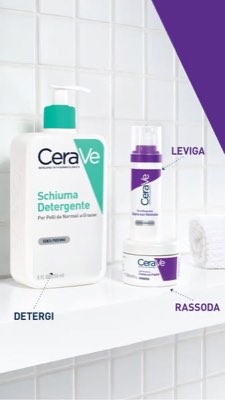
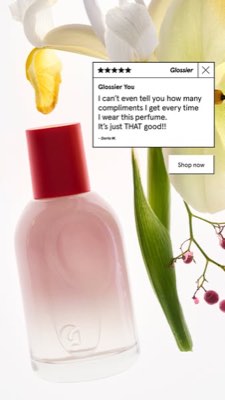
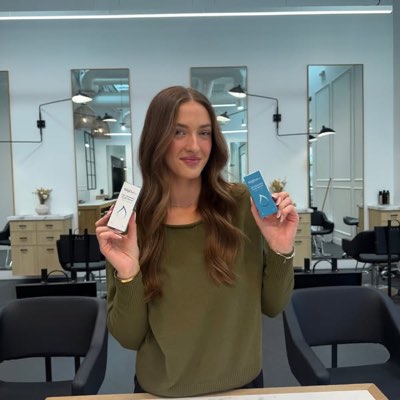








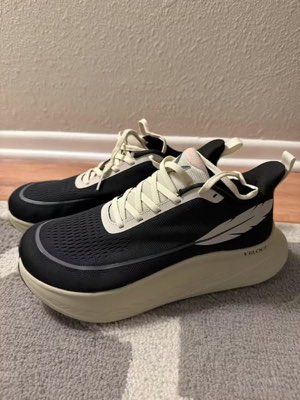
Isang brief. Kahit saan at sabay-sabay.
Sabihin mo nang isang beses. Hahanapin ng Hermoso kung ano na ang gumagana sa iyong market, ire-render ang tapos na ad, ilalabas ito sa labing-isang organic channels at labindalawang ad platforms, at babasahin ang resulta mula sa sarili mong analytics. Magsimula kahit saan. Kusang gumagana ang bawat bahagi.
- Threads
- TikTok
- YouTube
- X
- Bluesky
- Telegram
- Google Business Profile
- Meta
- Google Ads
- Microsoft Advertising
- Reddit Ads
- X Ads
- TikTok Ads
- Snapchat Ads
- ChatGPT Ads
- Apple Search Ads
- AppLovin Ads
- Messenger
- Instagram Direct
- X
- Bluesky
- Telegram
- Google Business Profile
- Intercom
- Google Analytics
- Google Tag Manager
- Google Search Console
- Bing Webmaster Tools
- PostHog
- Mixpanel
- Amplitude
- HubSpot
- Stripe
Ang iyong marketing team ay nasa loob na ng iyong agent.
Bawat ibang marketing tool ay hinihiling na buksan mo ang dashboard nito. Nag-i-install ang Hermoso sa assistant na kausap mo na. Isang OAuth’d na endpoint ang nagbibigay sa agent mo ng 922+ tools (ad research, tapos nang renders, publishing, campaign management) at bawat isa ay nagbabalik ng matibay na asset URL o structured na resulta, hindi isang dingding ng prosa na kailangang i-parse muli ng model.
Copy the connector URL
Open Customize → Connectors
+ Add → Add custom connector → name it Hermoso → paste the URL.
Connect & approve
Sign in with your Hermoso account on the consent page, and no key is needed. Then ask Claude for “an image ad with Hermoso.”
Gumawa ng key
Sa Hermoso app, buksan ang MCP & CLI → Terminal & API keys at gumawa ng key. Ito ang ginagamit ng Grok Bot para mag-sign in sa Hermoso, kaya ituring itong parang password at huwag itong i-paste sa isang URL.
Idagdag ang Hermoso sa Grok Bot
Pinakamabilis: idagdag ang Hermoso Marketing Bot at i-paste ang iyong key kapag hiningi nito. Gumagamit ka ng sarili mong Bot? I-paste ang prompt na ito sa chat nito kasama ang iyong key.
Magsimulang gumawa
Hilingin sa Grok Bot ang “isang image ad gamit ang Hermoso,” o “kunin ang mga pinakamatagal nang tumatakbong ads ng mga kakumpitensya ko at i-remix ang pinakamaganda.”
Copy the connector URL
Open Plugins → Add → Create MCP App
Name it Hermoso, paste the URL as the Server URL, keep OAuth → Create. No Create MCP App? Switch on Developer mode under Settings → Plugins.
Connect & approve
Sign in with your Hermoso account on the consent page, and no key is needed. Then ask ChatGPT for “an image ad with Hermoso.”
Install Hermoso in Claude Code
Run this once in your terminal. It adds five Hermoso skills (marketing, research, ad-from-brand, generate, product-photoshoot) that run the hermoso command through npx, so no tool list is loaded into your sessions and nothing costs context until it runs. Already inside a session? Type /plugin marketplace add hermoso-ai/hermoso, then /plugin install hermoso@hermoso.
Sign in once
Opens your browser to sign in with your Hermoso account. Your agent runs this itself the first time it needs Hermoso, so you can also skip it. No browser on that machine? Use npx -y hermoso auth login --token <your key> with a key from MCP & CLI.
Start creating
Ask Claude Code for “an image ad with Hermoso,” or “pull my competitors’ longest-running ads and remix the best one.” Claude Code picks the Hermoso skill for the job and runs the commands. You type none of them.
Install Hermoso in Cursor
Run this once in your terminal. It adds five Hermoso skills (marketing, research, ad-from-brand, generate, product-photoshoot) that run the hermoso command through npx, so no tool list is loaded into your sessions and nothing costs context until it runs. Add -g to install it for every project instead of the current one.
Sign in once
Opens your browser to sign in with your Hermoso account. Your agent runs this itself the first time it needs Hermoso, so you can also skip it. No browser on that machine? Use npx -y hermoso auth login --token <your key> with a key from MCP & CLI.
Start creating
Ask Cursor for “an image ad with Hermoso,” or “pull my competitors’ longest-running ads and remix the best one.” Cursor picks the Hermoso skill for the job and runs the commands. You type none of them.
Install Hermoso in Codex
Run this once in your terminal. It adds five Hermoso skills (marketing, research, ad-from-brand, generate, product-photoshoot) that run the hermoso command through npx, so no tool list is loaded into your sessions and nothing costs context until it runs.
Sign in once
Opens your browser to sign in with your Hermoso account. Your agent runs this itself the first time it needs Hermoso, so you can also skip it. No browser on that machine? Use npx -y hermoso auth login --token <your key> with a key from MCP & CLI.
Start creating
Ask Codex for “an image ad with Hermoso,” or “pull my competitors’ longest-running ads and remix the best one.” Codex picks the Hermoso skill for the job and runs the commands. You type none of them.
Copy the connector URL
Open Plugins → Connectors
New Connector → Custom → paste the URL (or go straight to grok.com/connectors). On Business and Enterprise plans a team admin adds it once for everyone.
Connect & approve
Sign in with your Hermoso account on the consent page, and no key is needed. Then ask Grok for “an image ad with Hermoso.”
Install Hermoso in Cline
Run this once in your terminal. It adds five Hermoso skills (marketing, research, ad-from-brand, generate, product-photoshoot) that run the hermoso command through npx, so no tool list is loaded into your sessions and nothing costs context until it runs. Add -g to install it for every project instead of the current one.
Sign in once
Opens your browser to sign in with your Hermoso account. Your agent runs this itself the first time it needs Hermoso, so you can also skip it. No browser on that machine? Use npx -y hermoso auth login --token <your key> with a key from MCP & CLI.
Start creating
Ask Cline for “an image ad with Hermoso,” or “pull my competitors’ longest-running ads and remix the best one.” Cline picks the Hermoso skill for the job and runs the commands. You type none of them.
Install Hermoso in OpenClaw
Run this once in your terminal. It adds five Hermoso skills (marketing, research, ad-from-brand, generate, product-photoshoot) that run the hermoso command through npx, so no tool list is loaded into your sessions and nothing costs context until it runs. Add -g to install it for every project instead of the current one.
Sign in once
Opens your browser to sign in with your Hermoso account. Your agent runs this itself the first time it needs Hermoso, so you can also skip it. No browser on that machine? Use npx -y hermoso auth login --token <your key> with a key from MCP & CLI.
Start creating
Ask OpenClaw for “an image ad with Hermoso,” or “pull my competitors’ longest-running ads and remix the best one.” OpenClaw picks the Hermoso skill for the job and runs the commands. You type none of them.
Install Hermoso in Hermes
Run this once in your terminal. It adds five Hermoso skills (marketing, research, ad-from-brand, generate, product-photoshoot) that run the hermoso command through npx, so no tool list is loaded into your sessions and nothing costs context until it runs. Add -g to install it for every project instead of the current one.
Sign in once
Opens your browser to sign in with your Hermoso account. Your agent runs this itself the first time it needs Hermoso, so you can also skip it. No browser on that machine? Use npx -y hermoso auth login --token <your key> with a key from MCP & CLI.
Start creating
Ask Hermes for “an image ad with Hermoso,” or “pull my competitors’ longest-running ads and remix the best one.” Hermes picks the Hermoso skill for the job and runs the commands. You type none of them.
Copy the connector URL
Any client that takes an MCP server URL can use this one.
Or spawn it locally
Clients that launch a local process take this instead, which costs no context until a tool runs.
Neither shape fits?
There is a plain REST API at app.hermoso.ai/v1 with the same tools behind an hmk_ key, for an agent that speaks HTTP and nothing else.
“Hanapin ang pinakamatagal na tumatakbong Meta ads ng aking tatlong pinakamalapit na kakumpitensya, sabihin sa akin kung aling hook ang paulit-ulit, tapos gumawa ka para sa akin ng 9:16 UGC video ad gamit ang hook na iyon (ang tunay kong larawan ng produkto, captions na naka-burn in) at i-schedule ito sa Instagram at TikTok para sa Martes 9am.”
Pinapatakbo na ng pinakamalaking mga brand sa mundo ang mga AI ad. Ngayon, isa na itong tool, hindi budget ng isang studio.
Tingnan kung ano na ang nagtatagumpay. Bago ka gumastos ng kahit isang piso.
Sinisiyasat ng Ad Spy ang mga ad library ng Meta, Google, LinkedIn at ang organic feeds ng TikTok, Instagram, YouTube, Reddit at Threads at iniraranggo ang creative ng iyong kategorya ayon sa tagal ng pagpapatakbo nito. Mas marami itong sinasabi tungkol sa kung ano ang epektibo kaysa sa kung ano ang maganda lang tingnan.
Bago: Hermoso para sa Chrome. I-save ang kahit anong ad mula sa ad libraries, TikTok, Instagram o YouTube Shorts sa swipefile mo sa isang click, tingnan kung gaano na ito katagal tumatakbo, at i-clone ito para sa brand mo. Kunin ang Chrome extension → Naghahanap ng makakatrabaho? Creator Search ang naghahanap ng mga creator na panalo na sa niche mo.
I-scan ang merkado mo →
Ilarawan ito. Ang studio na ang bahala sa konsepto, casting, kopya.
Isang chat lang ang nagpaplano ng anggulo, sumusulat ng kopya, nagpi-cast ng creator, at nag-re-render ng ad. Kasama na ang tunay mong produkto at brand, at pixel-perfect na teksto na naka-composite para hindi kailanman mabali ang mga wordmark.
Bago: Ads Studio. Pumili ng mga produkto mula sa catalog mo, sabihin kung ilang ad bawat isa, at makakuha ng isang batch ng tapos nang static ads, bawat isa may ibang layout, gamit ang totoong produkto at logo mo. Tingnan ang Ads Studio → O i-paste ang link ng kahit anong video para i-clone ito para sa brand mo, na may bagong tao sa screen, totoo man o isang AI presenter na ilalarawan mo sa sarili mong salita. Paano gumagana ang video cloning →
Buksan ang studio →
Natapos na ibig sabihin ay natapos na. I-save, mag-vary, i-publish.
Bawat render ay dumarating sa iyong library na handang patakbuhin, pati na ang anumang i-upload mo. Mag-publish ng organic diretso sa Facebook, Instagram, Threads, TikTok, YouTube, X, LinkedIn, Pinterest, Bluesky, Telegram at Google Business Profile, ngayon na o naka-schedule sa isang totoong content calendar. Pagkatapos ay buuin, basahin at i-optimize ang mga paid campaign sa likod nito sa labindalawang ad platforms, nang hindi umaalis sa Hermoso. I-on ang autopilot at gagawa ito ng mga bagong post mula sa brand mo araw-araw, para aprubahan mo o para kusang lumabas, habang sinasagot ng Automasyon ng DM ang comments at DMs sa Instagram, Facebook, Messenger at X.
- Threads
- TikTok
- YouTube
- X
- Bluesky
- Telegram
- Meta
- Google Ads
- Microsoft Advertising
- Reddit Ads
- X Ads
- TikTok Ads
- Snapchat Ads
- ChatGPT Ads
- Apple Search Ads
- AppLovin Ads

Bawat format na kabisado ng feed mo. Sa iyo na para gawin.
Cinematic na film, thread na parang totoong DM, value-prop na tama sa isang screen. Piliin ang hugis, ilagay ang brand mo, at rerender na 'yan na tapos na. I-hover o i-tap ang kahit anong tile para makita itong gumalaw.
May 40+ video ad formats ang Studio, bawat isa naka-cast at naka-render sa brand mo
Isang studio. Laging ang pinakabagong mga model.
A built-in model router picks the best model for every job.
Walang patong sa mga modelo.
Nagkakaiba ang mga plano ayon sa credits, at nagdadagdag ang mga bayad na plano ng totoong mukha mula sa sarili mong mga larawan. Gamitin ang isang bahagi ng Hermoso o lahat ito. Ang scheduling, campaign management, measurement at walang-limitasyong profiles ay nasa bawat plano, kasama na ang Free.
Magandang malaman
https://app.hermoso.ai/mcp, kaya gumagana ito nang walang pagbabago sa ChatGPT, Claude, Claude Desktop, Codex, Cursor, Cline, OpenClaw, Hermes at anumang iba pang MCP client. Mayroon ding npm CLI (npm install -g hermoso) para sa mga terminal agent na mas gusto ang shell, at mga naka-install na Claude skill na bumabalot sa mga karaniwang workflow.hermoso CLI sa halip na isang MCP server. Sa Claude Code, i-type ang /plugin marketplace add hermoso-ai/hermoso, pagkatapos ay /plugin install hermoso@hermoso. Sa Codex, patakbuhin ang codex plugin marketplace add hermoso-ai/hermoso, pagkatapos ay codex plugin add hermoso@hermoso. Sa Gemini CLI, patakbuhin ang gemini extensions install https://github.com/hermoso-ai/hermoso. Sa Cursor o anumang ibang agent na sumusuporta sa skills, patakbuhin ang npx skills add hermoso-ai/hermoso -a cursor, at ilagay ang pangalan ng iyong agent pagkatapos ng -a. Pagkatapos, mag-sign in nang isang beses gamit ang npx -y hermoso auth login. Sa Claude.ai, ChatGPT o anumang ibang chat app, i-paste ang https://app.hermoso.ai/mcp sa ilalim ng Settings → Connectors at aprubahan ito gamit ang iyong Hermoso account. Walang kailangang i-self-host, at lahat ay sinisingil sa iyong mga credit.set_meta_campaign_status, set_google_ads_status, set_microsoft_ads_status, set_reddit_ads_status, set_linkedin_ads_status, set_pinterest_ads_status, set_x_ads_status at set_openai_ads_status kasama na rito) ay tumatangging tumakbo nang walang tahasang confirmation flag. Ang paggawa ng render ay gumagastos ng credits mula sa balance mo, at bawat modelo ay may eksaktong per-render cost na nakalathala sa pamamagitan ng hermoso_capabilities kaya makakapagbigay sayo ang agent ng numero bago pa ito mag-render.Ang susunod mong ad ay
isang prompt na lang ang layo.
Walang credit card · Magsimula nang may 250+ na libreng credit, kumita habang gumagawa