당신의
AI 마케팅 에이전트.
콘텐츠를 모든 곳에 게시하고 유료 캠페인까지 운영하는 AI 광고 생성기. Claude, ChatGPT, Cursor 안에서 바로.
11개 오가닉 채널에 게시하고 예약하십시오. 12개 광고 플랫폼에서 캠페인을 구축하고 운영하십시오. 로그인 한 번으로.
신용카드 불필요 · 250개 이상의 무료 크레딧으로 시작하세요 · 모델 마진 없음


다섯 개의 앱을 오가는 일은 이제 그만하십시오.
대부분의 AI 광고 도구는 렌더링에서 멈춥니다. 한 곳에서 프롬프트를 입력하고, 다운로드하고, 다음 도구에 업로드한 뒤, 모든 캠페인을 손으로 다시 구성해야 합니다. Hermoso는 전 과정을 하나로 처리합니다. 리서치, 렌더링, 게시, 광고 집행, 결과 분석까지 말입니다. Claude에 연결하거나 스튜디오를 여십시오. 감각만 가져오시면 나머지 무거운 작업은 저희가 맡습니다.
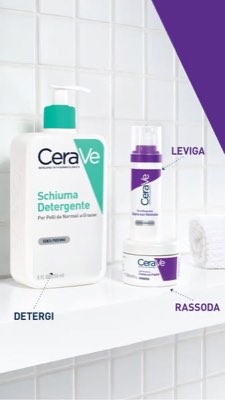
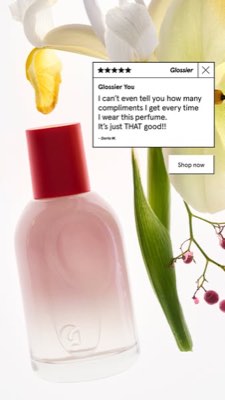
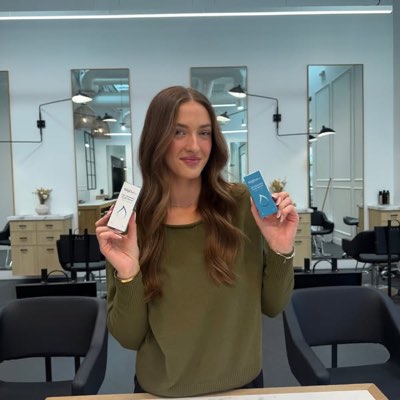








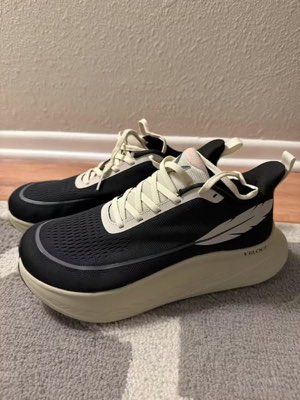
한 가지 브리프. 모든 곳에 동시에.
한 번만 말씀하십시오. Hermoso가 귀사의 시장에서 이미 효과를 내고 있는 것을 찾아내고, 완성된 광고를 렌더링하며, 11개 오가닉 채널과 12개 광고 플랫폼에 내보내고, 귀사의 분석 데이터에서 결과를 다시 읽어옵니다. 어디서든 시작하십시오. 모든 요소가 단독으로 작동합니다.
- Threads
- TikTok
- YouTube
- X
- Bluesky
- Telegram
- Google Business Profile
- Meta
- Google Ads
- Microsoft Advertising
- Reddit Ads
- X Ads
- TikTok Ads
- Snapchat Ads
- ChatGPT Ads
- Apple Search Ads
- AppLovin Ads
- Messenger
- Instagram Direct
- X
- Bluesky
- Telegram
- Google Business Profile
- Intercom
- Google Analytics
- Google Tag Manager
- Google Search Console
- Bing Webmaster Tools
- PostHog
- Mixpanel
- Amplitude
- HubSpot
- Stripe
당신의 마케팅 팀은 이미 에이전트 안에 있습니다.
다른 모든 마케팅 도구는 대시보드를 열라고 요구합니다. Hermoso는 이미 대화하고 있는 어시스턴트에 설치됩니다. OAuth 인증된 하나의 엔드포인트가 여러분의 에이전트에게 922개 이상의 도구(광고 리서치, 완성된 렌더링, 게시, 캠페인 관리)를 건네며, 각각은 모델이 다시 파싱해야 하는 산문의 벽이 아니라 지속 가능한 에셋 URL 또는 구조화된 결과를 반환합니다.
Copy the connector URL
Open Customize → Connectors
+ Add → Add custom connector → name it Hermoso → paste the URL.
Connect & approve
Sign in with your Hermoso account on the consent page, and no key is needed. Then ask Claude for “an image ad with Hermoso.”
키 만들기
Hermoso 앱의 MCP & CLI → Terminal & API keys에서 키를 만드세요. Grok Bot은 이 키로 Hermoso에 로그인하므로 비밀번호처럼 다루고 절대 URL에 붙여넣지 마세요.
Grok Bot에 Hermoso 추가하기
가장 빠른 방법: Hermoso Marketing Bot을 추가하고 키를 요청하면 붙여넣으세요. 직접 만든 Bot을 쓰시나요? 이 프롬프트를 키와 함께 해당 Bot의 채팅에 붙여넣으세요.
만들기 시작하기
Grok Bot에게 “Hermoso로 이미지 광고 만들어 줘” 또는 “경쟁사의 가장 오래 집행된 광고를 가져와서 가장 좋은 것을 리믹스해 줘”라고 요청하세요.
Copy the connector URL
Open Plugins → Add → Create MCP App
Name it Hermoso, paste the URL as the Server URL, keep OAuth → Create. No Create MCP App? Switch on Developer mode under Settings → Plugins.
Connect & approve
Sign in with your Hermoso account on the consent page, and no key is needed. Then ask ChatGPT for “an image ad with Hermoso.”
Install Hermoso in Claude Code
Run this once in your terminal. It adds five Hermoso skills (marketing, research, ad-from-brand, generate, product-photoshoot) that run the hermoso command through npx, so no tool list is loaded into your sessions and nothing costs context until it runs. Already inside a session? Type /plugin marketplace add hermoso-ai/hermoso, then /plugin install hermoso@hermoso.
Sign in once
Opens your browser to sign in with your Hermoso account. Your agent runs this itself the first time it needs Hermoso, so you can also skip it. No browser on that machine? Use npx -y hermoso auth login --token <your key> with a key from MCP & CLI.
Start creating
Ask Claude Code for “an image ad with Hermoso,” or “pull my competitors’ longest-running ads and remix the best one.” Claude Code picks the Hermoso skill for the job and runs the commands. You type none of them.
Install Hermoso in Cursor
Run this once in your terminal. It adds five Hermoso skills (marketing, research, ad-from-brand, generate, product-photoshoot) that run the hermoso command through npx, so no tool list is loaded into your sessions and nothing costs context until it runs. Add -g to install it for every project instead of the current one.
Sign in once
Opens your browser to sign in with your Hermoso account. Your agent runs this itself the first time it needs Hermoso, so you can also skip it. No browser on that machine? Use npx -y hermoso auth login --token <your key> with a key from MCP & CLI.
Start creating
Ask Cursor for “an image ad with Hermoso,” or “pull my competitors’ longest-running ads and remix the best one.” Cursor picks the Hermoso skill for the job and runs the commands. You type none of them.
Install Hermoso in Codex
Run this once in your terminal. It adds five Hermoso skills (marketing, research, ad-from-brand, generate, product-photoshoot) that run the hermoso command through npx, so no tool list is loaded into your sessions and nothing costs context until it runs.
Sign in once
Opens your browser to sign in with your Hermoso account. Your agent runs this itself the first time it needs Hermoso, so you can also skip it. No browser on that machine? Use npx -y hermoso auth login --token <your key> with a key from MCP & CLI.
Start creating
Ask Codex for “an image ad with Hermoso,” or “pull my competitors’ longest-running ads and remix the best one.” Codex picks the Hermoso skill for the job and runs the commands. You type none of them.
Copy the connector URL
Open Plugins → Connectors
New Connector → Custom → paste the URL (or go straight to grok.com/connectors). On Business and Enterprise plans a team admin adds it once for everyone.
Connect & approve
Sign in with your Hermoso account on the consent page, and no key is needed. Then ask Grok for “an image ad with Hermoso.”
Install Hermoso in Cline
Run this once in your terminal. It adds five Hermoso skills (marketing, research, ad-from-brand, generate, product-photoshoot) that run the hermoso command through npx, so no tool list is loaded into your sessions and nothing costs context until it runs. Add -g to install it for every project instead of the current one.
Sign in once
Opens your browser to sign in with your Hermoso account. Your agent runs this itself the first time it needs Hermoso, so you can also skip it. No browser on that machine? Use npx -y hermoso auth login --token <your key> with a key from MCP & CLI.
Start creating
Ask Cline for “an image ad with Hermoso,” or “pull my competitors’ longest-running ads and remix the best one.” Cline picks the Hermoso skill for the job and runs the commands. You type none of them.
Install Hermoso in OpenClaw
Run this once in your terminal. It adds five Hermoso skills (marketing, research, ad-from-brand, generate, product-photoshoot) that run the hermoso command through npx, so no tool list is loaded into your sessions and nothing costs context until it runs. Add -g to install it for every project instead of the current one.
Sign in once
Opens your browser to sign in with your Hermoso account. Your agent runs this itself the first time it needs Hermoso, so you can also skip it. No browser on that machine? Use npx -y hermoso auth login --token <your key> with a key from MCP & CLI.
Start creating
Ask OpenClaw for “an image ad with Hermoso,” or “pull my competitors’ longest-running ads and remix the best one.” OpenClaw picks the Hermoso skill for the job and runs the commands. You type none of them.
Install Hermoso in Hermes
Run this once in your terminal. It adds five Hermoso skills (marketing, research, ad-from-brand, generate, product-photoshoot) that run the hermoso command through npx, so no tool list is loaded into your sessions and nothing costs context until it runs. Add -g to install it for every project instead of the current one.
Sign in once
Opens your browser to sign in with your Hermoso account. Your agent runs this itself the first time it needs Hermoso, so you can also skip it. No browser on that machine? Use npx -y hermoso auth login --token <your key> with a key from MCP & CLI.
Start creating
Ask Hermes for “an image ad with Hermoso,” or “pull my competitors’ longest-running ads and remix the best one.” Hermes picks the Hermoso skill for the job and runs the commands. You type none of them.
Copy the connector URL
Any client that takes an MCP server URL can use this one.
Or spawn it locally
Clients that launch a local process take this instead, which costs no context until a tool runs.
Neither shape fits?
There is a plain REST API at app.hermoso.ai/v1 with the same tools behind an hmk_ key, for an agent that speaks HTTP and nothing else.
“내 가장 가까운 경쟁사 세 곳의 가장 오래 게재된 Meta 광고를 찾아서, 어떤 훅이 반복해서 쓰이는지 알려주고, 그 훅을 활용해 9:16 UGC 동영상 광고를 만들어줘 (내 실제 제품 사진에 자막을 새겨서) 그리고 화요일 오전 9시에 Instagram과 TikTok에 예약해줘.”
세계 최대 브랜드들은 이미 AI 광고를 집행합니다. 이제는 스튜디오 예산이 아니라 하나의 도구입니다.
이미 통하는 광고를 먼저 확인하세요. 1달러도 쓰기 전에.
Ad Spy가 Meta, Google, LinkedIn 광고 라이브러리와 TikTok, Instagram, YouTube, Reddit, Threads의 오가닉 피드를 스캔해 카테고리 크리에이티브를 집행 기간 순으로 정렬합니다. 오래 집행되는 광고일수록 보기 좋은 광고보다 실제 전환을 훨씬 잘 보여줍니다.
신규: Hermoso for Chrome. 광고 라이브러리, TikTok, Instagram, YouTube Shorts의 어떤 광고든 클릭 한 번으로 스와이프파일에 저장하고, 얼마나 오래 집행됐는지 보고, 브랜드에 맞게 클론하세요. Chrome 확장 프로그램 받기 → 함께 일할 사람을 찾고 계신가요? 크리에이터 검색이 당신의 니치에서 이미 성과를 내고 있는 크리에이터를 찾아 드립니다.
내 시장 스캔하기 →
설명만 하세요. 컨셉, 캐스팅, 카피는 스튜디오가 합니다.
하나의 채팅이 앵글을 기획하고 카피를 쓰고 크리에이터를 캐스팅해 렌더링합니다. 실제 제품과 브랜드가 그대로 고정되고, 텍스트는 픽셀 단위로 합성되어 워드마크가 절대 깨지지 않습니다.
신규: Ads Studio. 카탈로그에서 상품을 고르고 상품당 광고 수를 정하면, 실제 상품과 로고가 들어간, 광고마다 레이아웃이 다른 완성된 정적 광고 한 배치를 받습니다. Ads Studio 보기 → 또는 어떤 동영상이든 링크를 붙여 넣으면, 화면에 새로운 인물(실제 사람 또는 당신의 말로 묘사한 AI 프레젠터)을 세워 브랜드에 맞게 클론할 수 있습니다. 동영상 클론 작동 방식 →
스튜디오 열기 →
완성이란 진짜 완성을 뜻합니다. 저장하고, 변형하고, 게시하세요.
모든 렌더링 결과는 바로 집행할 수 있는 상태로 라이브러리에 들어가며, 업로드한 것도 마찬가지입니다. Facebook, Instagram, Threads, TikTok, YouTube, X, LinkedIn, Pinterest, Bluesky, Telegram, Google Business Profile에 오가닉 콘텐츠를 지금 바로 게시하거나 실제 콘텐츠 캘린더에 예약하세요. 그런 다음 Hermoso를 떠나지 않고도 그 뒤를 받치는 유료 캠페인을 12개 광고 플랫폼에서 구축하고, 분석하고, 최적화하세요. 오토파일럿을 켜면 브랜드에서 매일 새 게시물을 만들어 승인을 기다리게 하거나 알아서 나가게 하며, 그동안 DM 자동화가 Instagram, Facebook, Messenger, X의 댓글과 DM에 답합니다.
- Threads
- TikTok
- YouTube
- X
- Bluesky
- Telegram
- Meta
- Google Ads
- Microsoft Advertising
- Reddit Ads
- X Ads
- TikTok Ads
- Snapchat Ads
- ChatGPT Ads
- Apple Search Ads
- AppLovin Ads

피드가 아는 모든 포맷. 이제 당신이 만들 차례.
영화 같은 영상, 진짜 DM처럼 읽히는 대화, 한 화면에 꽂히는 강점. 형태를 고르고 브랜드를 넣으면 완성된 채로 렌더링됩니다. 타일 위에 올리거나 탭해 움직임을 확인하세요.
Studio는 40개 이상의 영상 광고 포맷을 제공합니다. 하나하나 당신의 브랜드로 캐스팅하고 렌더링합니다
하나의 스튜디오. 언제나 최신 모델로.
A built-in model router picks the best model for every job.
모델, 마진 없이 그대로.
플랜은 크레딧으로 나뉘며, 유료 플랜에서는 직접 올린 사진으로 만드는 실제 얼굴이 추가됩니다. Hermoso의 한 부분만 쓰든 전부 쓰든 상관없습니다. 예약, 캠페인 관리, 측정, 무제한 프로필이 Free를 포함한 모든 플랜에 있습니다.
알아두면 좋은 것들
https://app.hermoso.ai/mcp에 호스팅된 MCP 서버를 제공하므로, ChatGPT, Claude, Claude Desktop, Codex, Cursor, Cline, OpenClaw, Hermes를 비롯한 모든 MCP 클라이언트에서 수정 없이 작동합니다. 터미널에서 셸을 통해 작업하는 에이전트를 위한 npm CLI(npm install -g hermoso)도 있고, 일반적인 워크플로를 감싸주는 설치형 Claude 스킬도 있습니다.hermoso CLI를 실행하는 Hermoso 스킬 5개가 설치됩니다. Claude Code에서는 /plugin marketplace add hermoso-ai/hermoso를 입력한 다음 /plugin install hermoso@hermoso를 입력하세요. Codex에서는 codex plugin marketplace add hermoso-ai/hermoso를 실행한 다음 codex plugin add hermoso@hermoso를 실행하세요. Gemini CLI에서는 gemini extensions install https://github.com/hermoso-ai/hermoso를 실행하세요. Cursor 등 스킬을 지원하는 다른 에이전트에서는 npx skills add hermoso-ai/hermoso -a cursor를 실행하고, -a 뒤에 사용하는 에이전트 이름을 적으세요. 그런 다음 npx -y hermoso auth login로 한 번만 로그인하면 됩니다. Claude.ai, ChatGPT 등 채팅 앱에서는 설정 → 커넥터에 https://app.hermoso.ai/mcp를 붙여넣고 Hermoso 계정으로 승인하세요. 직접 호스팅할 것이 없고, 모든 사용량은 크레딧으로 청구됩니다.set_meta_campaign_status, set_google_ads_status, set_microsoft_ads_status, set_reddit_ads_status, set_linkedin_ads_status, set_pinterest_ads_status, set_x_ads_status, set_openai_ads_status 등)은 명시적인 확인 플래그 없이는 실행을 거부합니다. 생성은 잔액에서 크레딧을 차감하며, 각 모델의 정확한 렌더링당 비용은 hermoso_capabilities를 통해 공개되므로 에이전트가 렌더링 전에 정확한 금액을 안내해 드릴 수 있습니다.