Ваш ИИ-агент
для маркетинга.
ИИ-генератор рекламы, который также публикует ваш контент везде и ведёт ваши платные кампании прямо из Claude, ChatGPT или Cursor.
Публикуйте и планируйте в 11 органических каналах. Создавайте и ведите кампании на 12 рекламных платформах. Один вход.
Без банковской карты · Начните с 250+ бесплатных кредитов · Без наценки на модели


Хватит метаться между пятью приложениями.
Большинство ИИ-инструментов для рекламы заканчиваются на рендере. Вы пишете промпт в одном, скачиваете, загружаете в следующий, а потом вручную пересобираете каждую кампанию. Hermoso ведёт весь цикл: исследование, рендер, публикация, запуск рекламы и анализ результатов. Подключите его к Claude или откройте студию. Вкус за вами, а тяжёлую работу мы берём на себя.
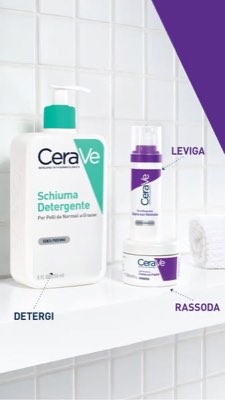
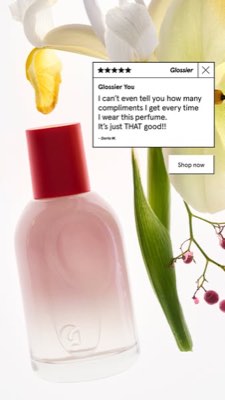
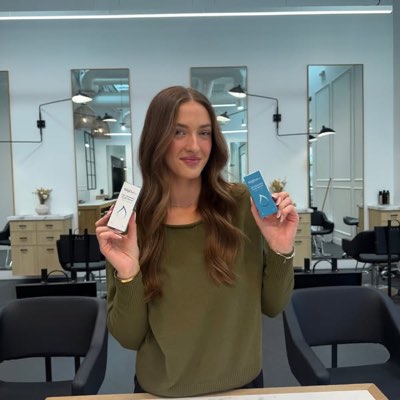








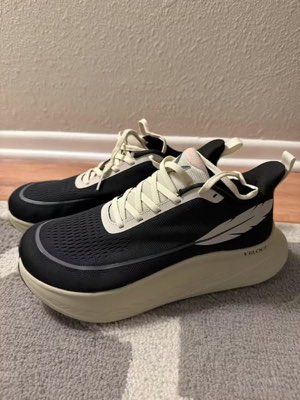
Одна идея. Везде сразу.
Скажите один раз. Hermoso находит то, что уже работает на вашем рынке, создаёт готовую рекламу, выводит её в одиннадцать органических каналов и на двенадцать рекламных платформ и считывает результаты прямо из вашей аналитики. Начните с чего угодно. Каждая часть работает сама по себе.
- Threads
- TikTok
- YouTube
- X
- Bluesky
- Telegram
- Google Business Profile
- Meta
- Google Ads
- Microsoft Advertising
- Reddit Ads
- X Ads
- TikTok Ads
- Snapchat Ads
- ChatGPT Ads
- Apple Search Ads
- AppLovin Ads
- Messenger
- Instagram Direct
- X
- Bluesky
- Telegram
- Google Business Profile
- Intercom
- Google Analytics
- Google Tag Manager
- Google Search Console
- Bing Webmaster Tools
- PostHog
- Mixpanel
- Amplitude
- HubSpot
- Stripe
Ваша маркетинговая команда уже внутри вашего агента.
Любой другой маркетинговый инструмент просит вас открыть его дашборд. Hermoso встраивается прямо в ассистента, с которым вы уже общаетесь. Один endpoint с OAuth даёт вашему агенту 922+ инструментов (исследование рекламы, готовые рендеры, публикацию, управление кампаниями) и каждый возвращает надёжный URL ассета или структурированный результат, а не стену текста, которую модели нужно заново разбирать.
Copy the connector URL
Open Customize → Connectors
+ Add → Add custom connector → name it Hermoso → paste the URL.
Connect & approve
Sign in with your Hermoso account on the consent page, and no key is needed. Then ask Claude for “an image ad with Hermoso.”
Создайте ключ
В приложении Hermoso откройте MCP & CLI → Terminal & API keys и создайте ключ. Grok Bot входит в Hermoso с этим ключом, поэтому храните его как пароль и никогда не вставляйте в URL.
Добавьте Hermoso в Grok Bot
Быстрее всего: добавьте Hermoso Marketing Bot и вставьте ключ, когда он попросит. Используете собственного бота? Вставьте этот промпт в его чат вместе с ключом.
Начните создавать
Попросите Grok Bot: «сделай рекламу с изображением в Hermoso» или «найди самые долго работающие объявления моих конкурентов и сделай ремикс лучшего».
Copy the connector URL
Open Plugins → Add → Create MCP App
Name it Hermoso, paste the URL as the Server URL, keep OAuth → Create. No Create MCP App? Switch on Developer mode under Settings → Plugins.
Connect & approve
Sign in with your Hermoso account on the consent page, and no key is needed. Then ask ChatGPT for “an image ad with Hermoso.”
Install Hermoso in Claude Code
Run this once in your terminal. It adds five Hermoso skills (marketing, research, ad-from-brand, generate, product-photoshoot) that run the hermoso command through npx, so no tool list is loaded into your sessions and nothing costs context until it runs. Already inside a session? Type /plugin marketplace add hermoso-ai/hermoso, then /plugin install hermoso@hermoso.
Sign in once
Opens your browser to sign in with your Hermoso account. Your agent runs this itself the first time it needs Hermoso, so you can also skip it. No browser on that machine? Use npx -y hermoso auth login --token <your key> with a key from MCP & CLI.
Start creating
Ask Claude Code for “an image ad with Hermoso,” or “pull my competitors’ longest-running ads and remix the best one.” Claude Code picks the Hermoso skill for the job and runs the commands. You type none of them.
Install Hermoso in Cursor
Run this once in your terminal. It adds five Hermoso skills (marketing, research, ad-from-brand, generate, product-photoshoot) that run the hermoso command through npx, so no tool list is loaded into your sessions and nothing costs context until it runs. Add -g to install it for every project instead of the current one.
Sign in once
Opens your browser to sign in with your Hermoso account. Your agent runs this itself the first time it needs Hermoso, so you can also skip it. No browser on that machine? Use npx -y hermoso auth login --token <your key> with a key from MCP & CLI.
Start creating
Ask Cursor for “an image ad with Hermoso,” or “pull my competitors’ longest-running ads and remix the best one.” Cursor picks the Hermoso skill for the job and runs the commands. You type none of them.
Install Hermoso in Codex
Run this once in your terminal. It adds five Hermoso skills (marketing, research, ad-from-brand, generate, product-photoshoot) that run the hermoso command through npx, so no tool list is loaded into your sessions and nothing costs context until it runs.
Sign in once
Opens your browser to sign in with your Hermoso account. Your agent runs this itself the first time it needs Hermoso, so you can also skip it. No browser on that machine? Use npx -y hermoso auth login --token <your key> with a key from MCP & CLI.
Start creating
Ask Codex for “an image ad with Hermoso,” or “pull my competitors’ longest-running ads and remix the best one.” Codex picks the Hermoso skill for the job and runs the commands. You type none of them.
Copy the connector URL
Open Plugins → Connectors
New Connector → Custom → paste the URL (or go straight to grok.com/connectors). On Business and Enterprise plans a team admin adds it once for everyone.
Connect & approve
Sign in with your Hermoso account on the consent page, and no key is needed. Then ask Grok for “an image ad with Hermoso.”
Install Hermoso in Cline
Run this once in your terminal. It adds five Hermoso skills (marketing, research, ad-from-brand, generate, product-photoshoot) that run the hermoso command through npx, so no tool list is loaded into your sessions and nothing costs context until it runs. Add -g to install it for every project instead of the current one.
Sign in once
Opens your browser to sign in with your Hermoso account. Your agent runs this itself the first time it needs Hermoso, so you can also skip it. No browser on that machine? Use npx -y hermoso auth login --token <your key> with a key from MCP & CLI.
Start creating
Ask Cline for “an image ad with Hermoso,” or “pull my competitors’ longest-running ads and remix the best one.” Cline picks the Hermoso skill for the job and runs the commands. You type none of them.
Install Hermoso in OpenClaw
Run this once in your terminal. It adds five Hermoso skills (marketing, research, ad-from-brand, generate, product-photoshoot) that run the hermoso command through npx, so no tool list is loaded into your sessions and nothing costs context until it runs. Add -g to install it for every project instead of the current one.
Sign in once
Opens your browser to sign in with your Hermoso account. Your agent runs this itself the first time it needs Hermoso, so you can also skip it. No browser on that machine? Use npx -y hermoso auth login --token <your key> with a key from MCP & CLI.
Start creating
Ask OpenClaw for “an image ad with Hermoso,” or “pull my competitors’ longest-running ads and remix the best one.” OpenClaw picks the Hermoso skill for the job and runs the commands. You type none of them.
Install Hermoso in Hermes
Run this once in your terminal. It adds five Hermoso skills (marketing, research, ad-from-brand, generate, product-photoshoot) that run the hermoso command through npx, so no tool list is loaded into your sessions and nothing costs context until it runs. Add -g to install it for every project instead of the current one.
Sign in once
Opens your browser to sign in with your Hermoso account. Your agent runs this itself the first time it needs Hermoso, so you can also skip it. No browser on that machine? Use npx -y hermoso auth login --token <your key> with a key from MCP & CLI.
Start creating
Ask Hermes for “an image ad with Hermoso,” or “pull my competitors’ longest-running ads and remix the best one.” Hermes picks the Hermoso skill for the job and runs the commands. You type none of them.
Copy the connector URL
Any client that takes an MCP server URL can use this one.
Or spawn it locally
Clients that launch a local process take this instead, which costs no context until a tool runs.
Neither shape fits?
There is a plain REST API at app.hermoso.ai/v1 with the same tools behind an hmk_ key, for an agent that speaks HTTP and nothing else.
«Найди самые долго крутящиеся объявления Meta у трёх моих ближайших конкурентов, скажи, какой хук повторяется чаще всего, а затем сделай мне вертикальную UGC-видеорекламу 9:16 с этим хуком (с моим реальным фото продукта и вшитыми субтитрами) и запланируй её в Instagram и TikTok на вторник, 9 утра.»
Крупнейшие бренды мира уже запускают ИИ-рекламу. Теперь это инструмент, а не бюджет студии.
Узнайте, что уже работает. Прежде чем потратить хоть доллар.
Ad Spy сканирует библиотеки Meta, Google, LinkedIn и органические ленты TikTok, Instagram, YouTube, Reddit и Threads и ранжирует креативы вашей категории по тому, как долго они держатся в показе. Это говорит о конверсии гораздо больше, чем красивая картинка.
Новинка: Hermoso для Chrome. Сохраняйте любую рекламу из библиотек объявлений, TikTok, Instagram или YouTube Shorts в свайп-файл в один клик, смотрите, как долго она крутится, и клонируйте её для своего бренда. Установить расширение для Chrome → Ищете, с кем поработать? Поиск авторов находит авторов, которые уже побеждают в вашей нише.
Просканировать свой рынок →
Опишите. Студия сама займётся концепцией, кастингом, текстом.
Один чат продумывает подачу, пишет текст, подбирает актёра и рендерит рекламу. Ваш реальный продукт и бренд остаются внутри, а текст накладывается идеально, так что логотипы никогда не искажаются.
Новинка: Ads Studio. Выберите товары из каталога, укажите, сколько объявлений сделать для каждого, и получите пакет готовой статичной рекламы, где каждое объявление в своём макете, с вашим реальным товаром и логотипом. Посмотреть Ads Studio → Или вставьте ссылку на любое видео, чтобы клонировать его для своего бренда, с новым человеком в кадре, реальным или ИИ-ведущим, которого вы опишете своими словами. Как работает клонирование видео →
Открыть студию →
Готово, значит готово. Сохраняйте, варьируйте, публикуйте.
Каждый рендер попадает в вашу библиотеку готовым к запуску, как и всё, что вы загружаете сами. Публикуйте органику напрямую в Facebook, Instagram, Threads, TikTok, YouTube, X, LinkedIn, Pinterest, Bluesky, Telegram и Google Business Profile, прямо сейчас или по расписанию в настоящем контент-календаре. А затем создавайте, анализируйте и оптимизируйте платные кампании под ней на двенадцати рекламных платформах, не выходя из Hermoso. Включите автопилот, и он будет каждый день создавать свежие посты от вашего бренда, которые вы одобряете или которые выходят сами, а автоматизации DM тем временем отвечают на комментарии и DM в Instagram, Facebook, Messenger и X.
- Threads
- TikTok
- YouTube
- X
- Bluesky
- Telegram
- Meta
- Google Ads
- Microsoft Advertising
- Reddit Ads
- X Ads
- TikTok Ads
- Snapchat Ads
- ChatGPT Ads
- Apple Search Ads
- AppLovin Ads

Все форматы, что знает ваша лента. Теперь они ваши.
Кино-ролик, тред как настоящая переписка, оффер, что бьёт в цель с одного экрана. Выберите форму, добавьте свой бренд, и всё готово. Наведите курсор или коснитесь плитки, чтобы увидеть в движении.
Studio выпускает 40+ форматов видеорекламы, каждый снят и собран под ваш бренд
Одна студия. Всегда самые новые модели.
A built-in model router picks the best model for every job.
Без наценки на модели.
Планы отличаются кредитами, а платные тарифы добавляют реальные лица из ваших собственных фотографий. Используйте одну часть Hermoso или всё сразу. Планирование, управление кампаниями, аналитика и безлимитные профили есть в каждом плане, включая Free.
Полезно знать
https://app.hermoso.ai/mcp, поэтому он работает без изменений в ChatGPT, Claude, Claude Desktop, Codex, Cursor, Cline, OpenClaw, Hermes и любом другом MCP-клиенте. Есть также npm CLI (npm install -g hermoso) для терминальных агентов, предпочитающих командную строку, и устанавливаемые Claude-скиллы, оборачивающие типовые сценарии.hermoso CLI, а не через MCP-сервер. В Claude Code введите /plugin marketplace add hermoso-ai/hermoso, затем /plugin install hermoso@hermoso. В Codex выполните codex plugin marketplace add hermoso-ai/hermoso, затем codex plugin add hermoso@hermoso. В Gemini CLI выполните gemini extensions install https://github.com/hermoso-ai/hermoso. В Cursor или любом другом агенте с поддержкой навыков выполните npx skills add hermoso-ai/hermoso -a cursor, указав своего агента после -a. Затем один раз войдите с помощью npx -y hermoso auth login. В Claude.ai, ChatGPT или любом другом чат-приложении вставьте https://app.hermoso.ai/mcp в разделе «Настройки → Коннекторы» и подтвердите через ваш аккаунт Hermoso. Ничего не нужно хостить самому, и всё списывается с ваших кредитов.set_meta_campaign_status, set_google_ads_status, set_microsoft_ads_status, set_reddit_ads_status, set_linkedin_ads_status, set_pinterest_ads_status, set_x_ads_status и set_openai_ads_status) каждый отказывается сработать без явного флага подтверждения. Генерация расходует кредиты с вашего баланса, а точная стоимость каждого рендера для любой модели публикуется через hermoso_capabilities, поэтому агент может назвать вам число ещё до того, как начнёт рендер.До вашей следующей рекламы
всего один промпт.
Без банковской карты · Начните с 250+ бесплатных кредитов, зарабатывайте по ходу