Ваш ШІ-агент
для маркетингу.
ШІ-генератор реклами, який також публікує ваш контент усюди та веде ваші платні кампанії просто з Claude, ChatGPT або Cursor.
Публікуйте та плануйте в 11 органічних каналах. Будуйте й запускайте кампанії на 12 рекламних платформах. Один вхід.
Без кредитної картки · Почніть з 250+ безкоштовних кредитів · Без націнки на моделі


Досить перемикатися між п'ятьма застосунками.
Більшість ШІ-інструментів для реклами зупиняються на рендері. Ви пишете промпт в одному, завантажуєте, вивантажуєте в наступний, а потім вручну перебудовуєте кожну кампанію. Hermoso проходить весь цикл: дослідження, рендер, публікація, запуск реклами та аналіз результатів. Підключіть його до Claude або відкрийте студію. Вносьте смак, а важку роботу зробимо ми.
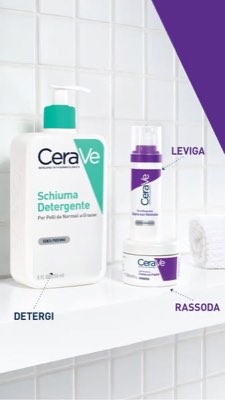
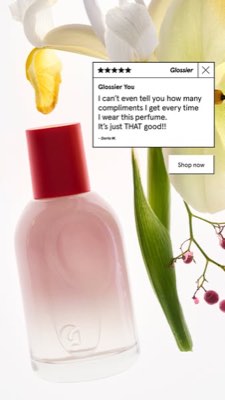
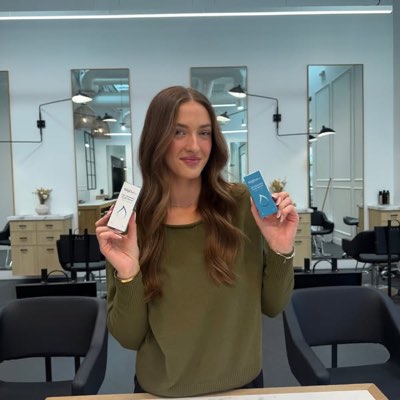








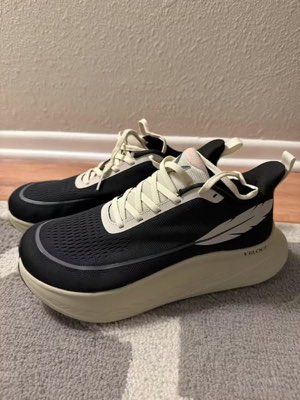
Один брифінг. Скрізь одночасно.
Скажіть це один раз. Hermoso знаходить те, що вже працює на вашому ринку, рендерить готову рекламу, викладає її в одинадцять органічних каналів і дванадцять рекламних платформ та зчитує результати з вашої власної аналітики. Починайте з чого завгодно. Кожна частина працює сама собою.
- Threads
- TikTok
- YouTube
- X
- Bluesky
- Telegram
- Google Business Profile
- Meta
- Google Ads
- Microsoft Advertising
- Reddit Ads
- X Ads
- TikTok Ads
- Snapchat Ads
- ChatGPT Ads
- Apple Search Ads
- AppLovin Ads
- Messenger
- Instagram Direct
- X
- Bluesky
- Telegram
- Google Business Profile
- Intercom
- Google Analytics
- Google Tag Manager
- Google Search Console
- Bing Webmaster Tools
- PostHog
- Mixpanel
- Amplitude
- HubSpot
- Stripe
Ваша маркетингова команда вже всередині вашого агента.
Кожен інший маркетинговий інструмент просить відкрити свою панель. Hermoso вбудовується в асистента, з яким ви вже спілкуєтеся. Один ендпойнт з OAuth передає вашому агенту 922+ інструментів (дослідження реклами, готові рендери, публікацію, керування кампаніями) і кожен повертає стійкий URL активу або структурований результат, а не стіну тексту, яку моделі доводиться повторно розбирати.
Copy the connector URL
Open Customize → Connectors
+ Add → Add custom connector → name it Hermoso → paste the URL.
Connect & approve
Sign in with your Hermoso account on the consent page, and no key is needed. Then ask Claude for “an image ad with Hermoso.”
Створіть ключ
У застосунку Hermoso відкрийте MCP & CLI → Terminal & API keys і створіть ключ. Grok Bot входить у Hermoso з цим ключем, тож бережіть його як пароль і ніколи не вставляйте в URL.
Додайте Hermoso до Grok Bot
Найшвидше: додайте Hermoso Marketing Bot і вставте свій ключ, коли він попросить. Користуєтеся власним Bot? Вставте цей запит у його чат разом зі своїм ключем.
Почніть створювати
Попросіть Grok Bot: «зроби рекламне зображення з Hermoso» або «знайди оголошення моїх конкурентів, які працюють найдовше, і зроби ремікс найкращого».
Copy the connector URL
Open Plugins → Add → Create MCP App
Name it Hermoso, paste the URL as the Server URL, keep OAuth → Create. No Create MCP App? Switch on Developer mode under Settings → Plugins.
Connect & approve
Sign in with your Hermoso account on the consent page, and no key is needed. Then ask ChatGPT for “an image ad with Hermoso.”
Install Hermoso in Claude Code
Run this once in your terminal. It adds five Hermoso skills (marketing, research, ad-from-brand, generate, product-photoshoot) that run the hermoso command through npx, so no tool list is loaded into your sessions and nothing costs context until it runs. Already inside a session? Type /plugin marketplace add hermoso-ai/hermoso, then /plugin install hermoso@hermoso.
Sign in once
Opens your browser to sign in with your Hermoso account. Your agent runs this itself the first time it needs Hermoso, so you can also skip it. No browser on that machine? Use npx -y hermoso auth login --token <your key> with a key from MCP & CLI.
Start creating
Ask Claude Code for “an image ad with Hermoso,” or “pull my competitors’ longest-running ads and remix the best one.” Claude Code picks the Hermoso skill for the job and runs the commands. You type none of them.
Install Hermoso in Cursor
Run this once in your terminal. It adds five Hermoso skills (marketing, research, ad-from-brand, generate, product-photoshoot) that run the hermoso command through npx, so no tool list is loaded into your sessions and nothing costs context until it runs. Add -g to install it for every project instead of the current one.
Sign in once
Opens your browser to sign in with your Hermoso account. Your agent runs this itself the first time it needs Hermoso, so you can also skip it. No browser on that machine? Use npx -y hermoso auth login --token <your key> with a key from MCP & CLI.
Start creating
Ask Cursor for “an image ad with Hermoso,” or “pull my competitors’ longest-running ads and remix the best one.” Cursor picks the Hermoso skill for the job and runs the commands. You type none of them.
Install Hermoso in Codex
Run this once in your terminal. It adds five Hermoso skills (marketing, research, ad-from-brand, generate, product-photoshoot) that run the hermoso command through npx, so no tool list is loaded into your sessions and nothing costs context until it runs.
Sign in once
Opens your browser to sign in with your Hermoso account. Your agent runs this itself the first time it needs Hermoso, so you can also skip it. No browser on that machine? Use npx -y hermoso auth login --token <your key> with a key from MCP & CLI.
Start creating
Ask Codex for “an image ad with Hermoso,” or “pull my competitors’ longest-running ads and remix the best one.” Codex picks the Hermoso skill for the job and runs the commands. You type none of them.
Copy the connector URL
Open Plugins → Connectors
New Connector → Custom → paste the URL (or go straight to grok.com/connectors). On Business and Enterprise plans a team admin adds it once for everyone.
Connect & approve
Sign in with your Hermoso account on the consent page, and no key is needed. Then ask Grok for “an image ad with Hermoso.”
Install Hermoso in Cline
Run this once in your terminal. It adds five Hermoso skills (marketing, research, ad-from-brand, generate, product-photoshoot) that run the hermoso command through npx, so no tool list is loaded into your sessions and nothing costs context until it runs. Add -g to install it for every project instead of the current one.
Sign in once
Opens your browser to sign in with your Hermoso account. Your agent runs this itself the first time it needs Hermoso, so you can also skip it. No browser on that machine? Use npx -y hermoso auth login --token <your key> with a key from MCP & CLI.
Start creating
Ask Cline for “an image ad with Hermoso,” or “pull my competitors’ longest-running ads and remix the best one.” Cline picks the Hermoso skill for the job and runs the commands. You type none of them.
Install Hermoso in OpenClaw
Run this once in your terminal. It adds five Hermoso skills (marketing, research, ad-from-brand, generate, product-photoshoot) that run the hermoso command through npx, so no tool list is loaded into your sessions and nothing costs context until it runs. Add -g to install it for every project instead of the current one.
Sign in once
Opens your browser to sign in with your Hermoso account. Your agent runs this itself the first time it needs Hermoso, so you can also skip it. No browser on that machine? Use npx -y hermoso auth login --token <your key> with a key from MCP & CLI.
Start creating
Ask OpenClaw for “an image ad with Hermoso,” or “pull my competitors’ longest-running ads and remix the best one.” OpenClaw picks the Hermoso skill for the job and runs the commands. You type none of them.
Install Hermoso in Hermes
Run this once in your terminal. It adds five Hermoso skills (marketing, research, ad-from-brand, generate, product-photoshoot) that run the hermoso command through npx, so no tool list is loaded into your sessions and nothing costs context until it runs. Add -g to install it for every project instead of the current one.
Sign in once
Opens your browser to sign in with your Hermoso account. Your agent runs this itself the first time it needs Hermoso, so you can also skip it. No browser on that machine? Use npx -y hermoso auth login --token <your key> with a key from MCP & CLI.
Start creating
Ask Hermes for “an image ad with Hermoso,” or “pull my competitors’ longest-running ads and remix the best one.” Hermes picks the Hermoso skill for the job and runs the commands. You type none of them.
Copy the connector URL
Any client that takes an MCP server URL can use this one.
Or spawn it locally
Clients that launch a local process take this instead, which costs no context until a tool runs.
Neither shape fits?
There is a plain REST API at app.hermoso.ai/v1 with the same tools behind an hmk_ key, for an agent that speaks HTTP and nothing else.
«Знайди рекламу Meta, що найдовше крутиться, для трьох моїх найближчих конкурентів, скажи, який гачок повторюється найчастіше, потім зроби мені відеорекламу UGC 9:16 із цим гачком (моє реальне фото продукту, вбудовані субтитри) і заплануй її в Instagram та TikTok на вівторок о 9:00.»
Найбільші бренди світу вже запускають ШІ-рекламу. Тепер це інструмент, а не бюджет студії.
Дізнайтесь, що вже перемагає. Ще до першого витраченого долара.
Ad Spy сканує бібліотеки Meta, Google і LinkedIn та органічні потоки TikTok, Instagram, YouTube, Reddit і Threads та ранжує креатив вашої категорії за тим, як довго він показується. Це говорить про конверсію набагато більше, ніж гарна картинка.
Новинка: Hermoso для Chrome. Зберігайте будь-яку рекламу з бібліотек оголошень, TikTok, Instagram чи YouTube Shorts у файл для натхнення в один клік, дивіться, як довго вона показується, і клонуйте її для свого бренду. Встановити розширення для Chrome → Шукаєте, з ким співпрацювати? Пошук креаторів знаходить авторів, які вже перемагають у вашій ніші.
Просканувати ваш ринок →
Опишіть, і все. Студія бере на себе концепцію, кастинг, текст.
Один чат планує ідею, пише текст, підбирає актора і рендерить рекламу. Ваш реальний продукт і бренд залишаються всередині, а текст накладається з піксельною точністю, щоб логотипи ніколи не спотворювались.
Новинка: Ads Studio. Виберіть товари з каталогу, вкажіть, скільки оголошень зробити для кожного, і отримайте партію готової статичної реклами, де кожне оголошення у своєму макеті, з вашим реальним товаром і логотипом. Подивитися Ads Studio → Або вставте посилання на будь-яке відео, щоб клонувати його для свого бренду, з новою людиною в кадрі, реальною чи ШІ-ведучим, якого ви опишете своїми словами. Як працює клонування відео →
Відкрити студію →
Готове означає готове. Зберігайте, варіюйте, публікуйте.
Кожен рендер потрапляє у вашу бібліотеку готовим до запуску, як і все, що ви завантажуєте. Публікуйте органіку безпосередньо у Facebook, Instagram, Threads, TikTok, YouTube, X, LinkedIn, Pinterest, Bluesky, Telegram і Google Business Profile, просто зараз або за планом у справжньому контент-календарі. Потім будуйте, читайте та оптимізуйте платні кампанії за цим на дванадцяти рекламних платформах, не виходячи з Hermoso. Увімкніть автопілот, і він щодня створюватиме свіжі пости від вашого бренду, які ви схвалюєте або які виходять самі, а автоматизації DM тим часом відповідають на коментарі та DM в Instagram, Facebook, Messenger і X.
- Threads
- TikTok
- YouTube
- X
- Bluesky
- Telegram
- Meta
- Google Ads
- Microsoft Advertising
- Reddit Ads
- X Ads
- TikTok Ads
- Snapchat Ads
- ChatGPT Ads
- Apple Search Ads
- AppLovin Ads

Кожен формат, який знає ваша стрічка. Тепер він у ваших руках.
Кінематографічне відео, гілка, що читається як справжній DM, вигода, яка влучає з одного екрана. Оберіть форму, додайте бренд, і воно відрендериться готовим. Наведіть або торкніться будь-якої плитки, щоб побачити її в русі.
Студія випускає 40+ форматів відеореклами, кожен зіграний і відрендерений під ваш бренд
Одна студія. Завжди найновіші моделі.
A built-in model router picks the best model for every job.
Без націнки на моделі.
Плани різняться кредитами, а платні плани додають справжні обличчя з ваших власних фото. Використовуйте одну частину Hermoso чи всі. Планування, керування кампаніями, вимірювання та безлімітні профілі є в кожному плані, включно з Free.
Корисно знати
https://app.hermoso.ai/mcp, тож він працює без змін у ChatGPT, Claude, Claude Desktop, Codex, Cursor, Cline, OpenClaw, Hermes та будь-якому іншому MCP-клієнті. Також є npm CLI (npm install -g hermoso) для термінальних агентів, які надають перевагу командному рядку, і встановлювані навички Claude, що обгортають типові робочі процеси.hermoso CLI, а не через MCP-сервер. У Claude Code введіть /plugin marketplace add hermoso-ai/hermoso, потім /plugin install hermoso@hermoso. У Codex виконайте codex plugin marketplace add hermoso-ai/hermoso, потім codex plugin add hermoso@hermoso. У Gemini CLI виконайте gemini extensions install https://github.com/hermoso-ai/hermoso. У Cursor чи будь-якому іншому агенті з підтримкою навичок виконайте npx skills add hermoso-ai/hermoso -a cursor, вказавши свого агента після -a. Потім один раз увійдіть за допомогою npx -y hermoso auth login. У Claude.ai, ChatGPT чи будь-якому іншому чат-застосунку вставте https://app.hermoso.ai/mcp у розділі Settings → Connectors і підтвердьте через свій обліковий запис Hermoso. Нічого не потрібно хостити самостійно, і все списується з ваших кредитів.set_meta_campaign_status, set_google_ads_status, set_microsoft_ads_status, set_reddit_ads_status, set_linkedin_ads_status, set_pinterest_ads_status, set_x_ads_status та set_openai_ads_status) жоден не запуститься без явного прапорця підтвердження. Генерація витрачає кредити з вашого балансу, а точну вартість кожного рендеру для кожної моделі опубліковано через hermoso_capabilities, тож агент може назвати вам суму ще до того, як почне рендерити.Ваша наступна реклама вже
за один запит.
Без банківської картки · Почніть із 250+ безкоштовних кредитів, заробляйте по ходу