Il tuo agente
di marketing IA.
Il generatore di annunci IA che pubblica anche i tuoi contenuti ovunque e gestisce le tue campagne a pagamento, direttamente da Claude, ChatGPT o Cursor.
Pubblica e programma su 11 canali organici. Crea e gestisci le campagne su 12 piattaforme pubblicitarie. Un solo login.
Nessuna carta di credito · Inizia con oltre 250 crediti gratuiti · Nessun ricarico sui modelli


Smettila di rimbalzare tra cinque app.
La maggior parte degli strumenti pubblicitari IA si ferma al rendering. Scrivi il prompt in uno, scarichi, carichi nel successivo e poi ricostruisci ogni campagna a mano. Hermoso gestisce l'intero ciclo: ricerca, rendering, pubblicazione, gestione degli annunci e lettura dei risultati. Collegalo a Claude o apri lo studio. Metti tu il gusto, al lavoro pesante pensiamo noi.

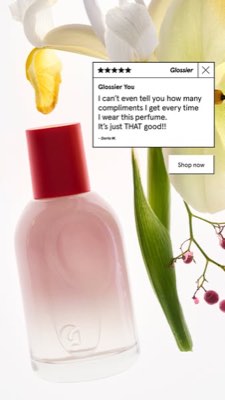
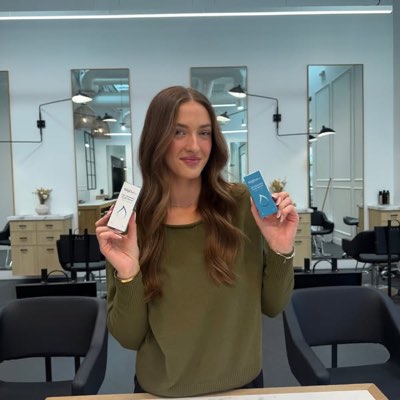








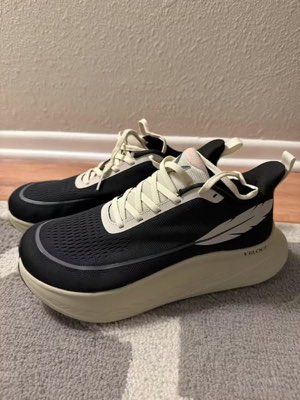
Un brief. Ovunque allo stesso tempo.
Dillo una volta. Hermoso trova ciò che già funziona nel tuo mercato, realizza l'annuncio finito, lo distribuisce su undici canali organici e dodici piattaforme pubblicitarie, e ti riporta i risultati direttamente dalle tue analytics. Parti da dove vuoi. Ogni pezzo funziona da solo.
- Threads
- TikTok
- YouTube
- X
- Bluesky
- Telegram
- Google Business Profile
- Meta
- Google Ads
- Microsoft Advertising
- Reddit Ads
- X Ads
- TikTok Ads
- Snapchat Ads
- ChatGPT Ads
- Apple Search Ads
- AppLovin Ads
- Messenger
- Instagram Direct
- X
- Bluesky
- Telegram
- Google Business Profile
- Intercom
- Google Analytics
- Google Tag Manager
- Google Search Console
- Bing Webmaster Tools
- PostHog
- Mixpanel
- Amplitude
- HubSpot
- Stripe
Il tuo team di marketing è già dentro il tuo agente.
Ogni altro strumento di marketing ti chiede di aprire la sua dashboard. Hermoso si installa nell'assistente con cui già parli. Un unico endpoint autenticato via OAuth mette a disposizione del tuo agente 922+ strumenti (ricerca annunci, render finiti, pubblicazione, gestione campagne) e ognuno restituisce l'URL di un asset duraturo o un risultato strutturato, mai un muro di testo che il modello deve reinterpretare.
Copy the connector URL
Open Customize → Connectors
+ Add → Add custom connector → name it Hermoso → paste the URL.
Connect & approve
Sign in with your Hermoso account on the consent page, and no key is needed. Then ask Claude for “an image ad with Hermoso.”
Crea una chiave
Nell'app Hermoso apri MCP & CLI → Terminal & API keys e crea una chiave. Grok Bot la usa per accedere a Hermoso, quindi trattala come una password e non incollarla mai in un URL.
Aggiungi Hermoso a Grok Bot
Il modo più rapido: aggiungi il Hermoso Marketing Bot e incolla la chiave quando te la chiede. Usi un tuo Bot? Incolla questo prompt nella sua chat insieme alla chiave.
Inizia a creare
Chiedi a Grok Bot «un annuncio con immagine con Hermoso» oppure «recupera gli annunci dei miei concorrenti attivi da più tempo e fai un remix del migliore».
Copy the connector URL
Open Plugins → Add → Create MCP App
Name it Hermoso, paste the URL as the Server URL, keep OAuth → Create. No Create MCP App? Switch on Developer mode under Settings → Plugins.
Connect & approve
Sign in with your Hermoso account on the consent page, and no key is needed. Then ask ChatGPT for “an image ad with Hermoso.”
Install Hermoso in Claude Code
Run this once in your terminal. It adds five Hermoso skills (marketing, research, ad-from-brand, generate, product-photoshoot) that run the hermoso command through npx, so no tool list is loaded into your sessions and nothing costs context until it runs. Already inside a session? Type /plugin marketplace add hermoso-ai/hermoso, then /plugin install hermoso@hermoso.
Sign in once
Opens your browser to sign in with your Hermoso account. Your agent runs this itself the first time it needs Hermoso, so you can also skip it. No browser on that machine? Use npx -y hermoso auth login --token <your key> with a key from MCP & CLI.
Start creating
Ask Claude Code for “an image ad with Hermoso,” or “pull my competitors’ longest-running ads and remix the best one.” Claude Code picks the Hermoso skill for the job and runs the commands. You type none of them.
Install Hermoso in Cursor
Run this once in your terminal. It adds five Hermoso skills (marketing, research, ad-from-brand, generate, product-photoshoot) that run the hermoso command through npx, so no tool list is loaded into your sessions and nothing costs context until it runs. Add -g to install it for every project instead of the current one.
Sign in once
Opens your browser to sign in with your Hermoso account. Your agent runs this itself the first time it needs Hermoso, so you can also skip it. No browser on that machine? Use npx -y hermoso auth login --token <your key> with a key from MCP & CLI.
Start creating
Ask Cursor for “an image ad with Hermoso,” or “pull my competitors’ longest-running ads and remix the best one.” Cursor picks the Hermoso skill for the job and runs the commands. You type none of them.
Install Hermoso in Codex
Run this once in your terminal. It adds five Hermoso skills (marketing, research, ad-from-brand, generate, product-photoshoot) that run the hermoso command through npx, so no tool list is loaded into your sessions and nothing costs context until it runs.
Sign in once
Opens your browser to sign in with your Hermoso account. Your agent runs this itself the first time it needs Hermoso, so you can also skip it. No browser on that machine? Use npx -y hermoso auth login --token <your key> with a key from MCP & CLI.
Start creating
Ask Codex for “an image ad with Hermoso,” or “pull my competitors’ longest-running ads and remix the best one.” Codex picks the Hermoso skill for the job and runs the commands. You type none of them.
Copy the connector URL
Open Plugins → Connectors
New Connector → Custom → paste the URL (or go straight to grok.com/connectors). On Business and Enterprise plans a team admin adds it once for everyone.
Connect & approve
Sign in with your Hermoso account on the consent page, and no key is needed. Then ask Grok for “an image ad with Hermoso.”
Install Hermoso in Cline
Run this once in your terminal. It adds five Hermoso skills (marketing, research, ad-from-brand, generate, product-photoshoot) that run the hermoso command through npx, so no tool list is loaded into your sessions and nothing costs context until it runs. Add -g to install it for every project instead of the current one.
Sign in once
Opens your browser to sign in with your Hermoso account. Your agent runs this itself the first time it needs Hermoso, so you can also skip it. No browser on that machine? Use npx -y hermoso auth login --token <your key> with a key from MCP & CLI.
Start creating
Ask Cline for “an image ad with Hermoso,” or “pull my competitors’ longest-running ads and remix the best one.” Cline picks the Hermoso skill for the job and runs the commands. You type none of them.
Install Hermoso in OpenClaw
Run this once in your terminal. It adds five Hermoso skills (marketing, research, ad-from-brand, generate, product-photoshoot) that run the hermoso command through npx, so no tool list is loaded into your sessions and nothing costs context until it runs. Add -g to install it for every project instead of the current one.
Sign in once
Opens your browser to sign in with your Hermoso account. Your agent runs this itself the first time it needs Hermoso, so you can also skip it. No browser on that machine? Use npx -y hermoso auth login --token <your key> with a key from MCP & CLI.
Start creating
Ask OpenClaw for “an image ad with Hermoso,” or “pull my competitors’ longest-running ads and remix the best one.” OpenClaw picks the Hermoso skill for the job and runs the commands. You type none of them.
Install Hermoso in Hermes
Run this once in your terminal. It adds five Hermoso skills (marketing, research, ad-from-brand, generate, product-photoshoot) that run the hermoso command through npx, so no tool list is loaded into your sessions and nothing costs context until it runs. Add -g to install it for every project instead of the current one.
Sign in once
Opens your browser to sign in with your Hermoso account. Your agent runs this itself the first time it needs Hermoso, so you can also skip it. No browser on that machine? Use npx -y hermoso auth login --token <your key> with a key from MCP & CLI.
Start creating
Ask Hermes for “an image ad with Hermoso,” or “pull my competitors’ longest-running ads and remix the best one.” Hermes picks the Hermoso skill for the job and runs the commands. You type none of them.
Copy the connector URL
Any client that takes an MCP server URL can use this one.
Or spawn it locally
Clients that launch a local process take this instead, which costs no context until a tool runs.
Neither shape fits?
There is a plain REST API at app.hermoso.ai/v1 with the same tools behind an hmk_ key, for an agent that speaks HTTP and nothing else.
«Trova gli annunci Meta attivi da più tempo dei miei tre concorrenti più vicini, dimmi quale hook si ripete di più, poi creami un video ad UGC 9:16 usando quell'hook (la foto reale del mio prodotto, sottotitoli impressi) e programmalo su Instagram e TikTok per martedì alle 9.»
I brand più grandi del mondo pubblicano già annunci IA. Ora è uno strumento, non un budget da studio.
Scopri cosa sta già vincendo. Prima di spendere un euro.
Ad Spy scansiona le librerie di Meta, Google e LinkedIn e i feed organici di TikTok, Instagram, YouTube, Reddit e Threads e classifica la creatività della tua categoria in base a quanto a lungo è rimasta attiva, che dice molto di più su ciò che converte che su ciò che è solo bello da vedere.
Novità: Hermoso per Chrome. Salva nel tuo swipefile con un clic qualsiasi annuncio dalle librerie inserzioni, da TikTok, Instagram o YouTube Shorts, vedi da quanto tempo è attivo e clonalo per il tuo brand. Scarica l'estensione Chrome → Cerchi persone con cui collaborare? Creator Search trova i creator che stanno già vincendo nella tua nicchia.
Scansiona il tuo mercato →
Descrivilo. Lo studio pensa a concept, casting, testo.
Un'unica chat pianifica l'angolo creativo, scrive il testo, sceglie l'attore e produce il render. Il tuo vero prodotto e il brand restano integrati, e il testo è composito pixel-perfect così i loghi non si distorcono mai.
Novità: Ads Studio. Scegli i prodotti dal tuo catalogo, di' quanti annunci per ciascuno e ricevi un batch di annunci statici finiti, ognuno con un layout diverso, con il tuo vero prodotto e il tuo logo. Scopri Ads Studio → Oppure incolla il link di qualsiasi video per clonarlo per il tuo brand, con una persona nuova sullo schermo, reale o un presentatore IA descritto con le tue parole. Come funziona la clonazione video →
Apri lo studio →
Finito significa finito. Salva, varia, pubblica.
Ogni render arriva nella tua libreria pronto per andare in campagna, e lo stesso vale per tutto ciò che carichi. Pubblica in organico direttamente su Facebook, Instagram, Threads, TikTok, YouTube, X, LinkedIn, Pinterest, Bluesky, Telegram e Google Business Profile, subito o programmato su un vero calendario editoriale. Poi crea, leggi e ottimizza le campagne a pagamento che ci stanno dietro su dodici piattaforme pubblicitarie, senza mai uscire da Hermoso. Attiva l'autopilota e ogni giorno crea post nuovi dal tuo brand, da approvare o da pubblicare da soli, mentre le automazioni DM rispondono a commenti e DM su Instagram, Facebook, Messenger e X.
- Threads
- TikTok
- YouTube
- X
- Bluesky
- Telegram
- Meta
- Google Ads
- Microsoft Advertising
- Reddit Ads
- X Ads
- TikTok Ads
- Snapchat Ads
- ChatGPT Ads
- Apple Search Ads
- AppLovin Ads

Ogni formato che il tuo feed conosce. Ora sei tu a crearlo.
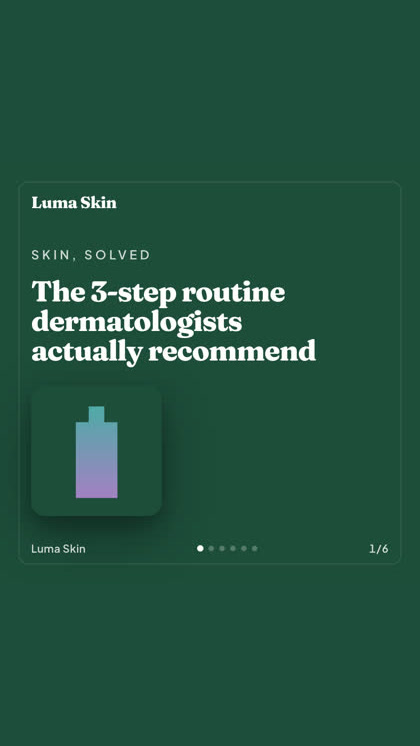
Film cinematico, una chat che sembra un vero DM, un value-prop che convince in una sola schermata. Scegli la forma, aggiungi il tuo brand, ed esce già pronto. Passa il mouse o tocca un riquadro per vederlo muovere.
Lo studio include oltre 40 formati di annunci video, ognuno con casting e rendering nel tuo brand
Uno studio. Sempre i modelli più recenti.
A built-in model router picks the best model for every job.
Nessun ricarico sui modelli.
I piani cambiano per crediti, e i piani a pagamento aggiungono volti reali dalle tue foto. Usa una parte di Hermoso o tutto quanto. Pianificazione, gestione delle campagne, misurazione e profili illimitati sono in ogni piano, Free incluso.
Utile sapere
https://app.hermoso.ai/mcp, quindi funziona senza modifiche in ChatGPT, Claude, Claude Desktop, Codex, Cursor, Cline, OpenClaw, Hermes e qualsiasi altro client MCP. C'è anche una CLI npm (npm install -g hermoso) per gli agenti da terminale che preferiscono lavorare da shell, oltre a skill di Claude installabili che racchiudono i flussi di lavoro più comuni.hermoso invece di un server MCP. In Claude Code, digita /plugin marketplace add hermoso-ai/hermoso e poi /plugin install hermoso@hermoso. In Codex, esegui codex plugin marketplace add hermoso-ai/hermoso e poi codex plugin add hermoso@hermoso. In Gemini CLI, esegui gemini extensions install https://github.com/hermoso-ai/hermoso. In Cursor o in qualsiasi altro agente che supporta le skill, esegui npx skills add hermoso-ai/hermoso -a cursor indicando il tuo agente dopo -a. Poi accedi una sola volta con npx -y hermoso auth login. In Claude.ai, ChatGPT o qualsiasi altra app di chat, incolla https://app.hermoso.ai/mcp in Impostazioni → Connettori e approvalo con il tuo account Hermoso. Niente da ospitare in proprio, e tutto viene addebitato sui tuoi crediti.set_meta_campaign_status, set_google_ads_status, set_microsoft_ads_status, set_reddit_ads_status, set_linkedin_ads_status, set_pinterest_ads_status, set_x_ads_status e set_openai_ads_status) si rifiutano di eseguire senza un flag di conferma esplicito. La generazione consuma crediti dal tuo saldo, e il costo esatto per render di ogni modello è pubblicato tramite hermoso_capabilities, così l'agente può indicarti una cifra prima ancora di renderizzare.Il tuo prossimo annuncio è a
un prompt di distanza.
Nessuna carta di credito · Inizia con oltre 250 crediti gratuiti, guadagnane mentre procedi