Jouw
AI-marketingagent.
De AI-advertentiegenerator die ook je content overal post en je betaalde campagnes draait, vanuit Claude, ChatGPT of Cursor.
Publiceer en plan naar 11 organische kanalen. Bouw en run de campagnes op 12 advertentieplatforms. Eén login.
Geen creditcard · Begin met 250+ gratis credits · Geen opslag op modellen


Stop met springen tussen vijf apps.
De meeste AI-advertentietools stoppen bij de render. Je promt in de ene, downloadt, uploadt naar de volgende en bouwt daarna elke campagne met de hand opnieuw. Hermoso draait de hele loop: onderzoeken, renderen, publiceren, de ads runnen en de resultaten lezen. Koppel het aan Claude of open de studio. Jij brengt de smaak, wij doen het zware werk.


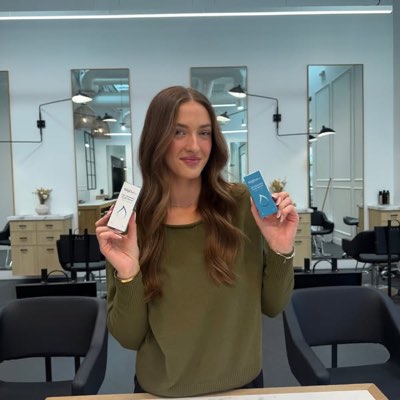








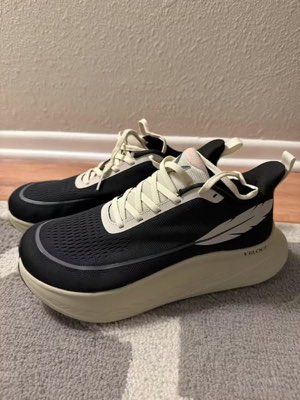
Eén brief. Overal tegelijk.
Zeg het één keer. Hermoso vindt wat al werkt in jouw markt, rendert de kant-en-klare advertentie, zet die uit over elf organische kanalen en twaalf advertentieplatforms, en leest de resultaten terug uit je eigen analytics. Begin waar je wilt. Elk onderdeel werkt op zichzelf.
- Threads
- TikTok
- YouTube
- X
- Bluesky
- Telegram
- Google Business Profile
- Meta
- Google Ads
- Microsoft Advertising
- Reddit Ads
- X Ads
- TikTok Ads
- Snapchat Ads
- ChatGPT Ads
- Apple Search Ads
- AppLovin Ads
- Messenger
- Instagram Direct
- X
- Bluesky
- Telegram
- Google Business Profile
- Intercom
- Google Analytics
- Google Tag Manager
- Google Search Console
- Bing Webmaster Tools
- PostHog
- Mixpanel
- Amplitude
- HubSpot
- Stripe
Je marketingteam zit al in je agent.
Elke andere marketingtool vraagt je om zijn dashboard te openen. Hermoso installeert in de assistent waar je toch al mee praat. Eén OAuth’d endpoint geeft je agent 922+ tools (advertentieonderzoek, kant-en-klare renders, publiceren, campagnebeheer) en elke tool geeft een duurzame asset-URL of een gestructureerd resultaat terug, nooit een muur van proza die het model opnieuw moet ontleden.
Copy the connector URL
Open Customize → Connectors
+ Add → Add custom connector → name it Hermoso → paste the URL.
Connect & approve
Sign in with your Hermoso account on the consent page, and no key is needed. Then ask Claude for “an image ad with Hermoso.”
Maak een sleutel
Open in de Hermoso-app MCP & CLI → Terminal & API keys en maak een sleutel. Grok Bot meldt zich daarmee aan bij Hermoso, dus behandel hem als een wachtwoord en plak hem nooit in een URL.
Voeg Hermoso toe aan Grok Bot
Snelst: voeg de Hermoso Marketing Bot toe en plak je sleutel als daarom wordt gevraagd. Gebruik je een eigen Bot? Plak deze prompt samen met je sleutel in de chat.
Begin met maken
Vraag Grok Bot om “een beeldadvertentie met Hermoso” of “haal de langstlopende advertenties van mijn concurrenten op en remix de beste”.
Copy the connector URL
Open Plugins → Add → Create MCP App
Name it Hermoso, paste the URL as the Server URL, keep OAuth → Create. No Create MCP App? Switch on Developer mode under Settings → Plugins.
Connect & approve
Sign in with your Hermoso account on the consent page, and no key is needed. Then ask ChatGPT for “an image ad with Hermoso.”
Install Hermoso in Claude Code
Run this once in your terminal. It adds five Hermoso skills (marketing, research, ad-from-brand, generate, product-photoshoot) that run the hermoso command through npx, so no tool list is loaded into your sessions and nothing costs context until it runs. Already inside a session? Type /plugin marketplace add hermoso-ai/hermoso, then /plugin install hermoso@hermoso.
Sign in once
Opens your browser to sign in with your Hermoso account. Your agent runs this itself the first time it needs Hermoso, so you can also skip it. No browser on that machine? Use npx -y hermoso auth login --token <your key> with a key from MCP & CLI.
Start creating
Ask Claude Code for “an image ad with Hermoso,” or “pull my competitors’ longest-running ads and remix the best one.” Claude Code picks the Hermoso skill for the job and runs the commands. You type none of them.
Install Hermoso in Cursor
Run this once in your terminal. It adds five Hermoso skills (marketing, research, ad-from-brand, generate, product-photoshoot) that run the hermoso command through npx, so no tool list is loaded into your sessions and nothing costs context until it runs. Add -g to install it for every project instead of the current one.
Sign in once
Opens your browser to sign in with your Hermoso account. Your agent runs this itself the first time it needs Hermoso, so you can also skip it. No browser on that machine? Use npx -y hermoso auth login --token <your key> with a key from MCP & CLI.
Start creating
Ask Cursor for “an image ad with Hermoso,” or “pull my competitors’ longest-running ads and remix the best one.” Cursor picks the Hermoso skill for the job and runs the commands. You type none of them.
Install Hermoso in Codex
Run this once in your terminal. It adds five Hermoso skills (marketing, research, ad-from-brand, generate, product-photoshoot) that run the hermoso command through npx, so no tool list is loaded into your sessions and nothing costs context until it runs.
Sign in once
Opens your browser to sign in with your Hermoso account. Your agent runs this itself the first time it needs Hermoso, so you can also skip it. No browser on that machine? Use npx -y hermoso auth login --token <your key> with a key from MCP & CLI.
Start creating
Ask Codex for “an image ad with Hermoso,” or “pull my competitors’ longest-running ads and remix the best one.” Codex picks the Hermoso skill for the job and runs the commands. You type none of them.
Copy the connector URL
Open Plugins → Connectors
New Connector → Custom → paste the URL (or go straight to grok.com/connectors). On Business and Enterprise plans a team admin adds it once for everyone.
Connect & approve
Sign in with your Hermoso account on the consent page, and no key is needed. Then ask Grok for “an image ad with Hermoso.”
Install Hermoso in Cline
Run this once in your terminal. It adds five Hermoso skills (marketing, research, ad-from-brand, generate, product-photoshoot) that run the hermoso command through npx, so no tool list is loaded into your sessions and nothing costs context until it runs. Add -g to install it for every project instead of the current one.
Sign in once
Opens your browser to sign in with your Hermoso account. Your agent runs this itself the first time it needs Hermoso, so you can also skip it. No browser on that machine? Use npx -y hermoso auth login --token <your key> with a key from MCP & CLI.
Start creating
Ask Cline for “an image ad with Hermoso,” or “pull my competitors’ longest-running ads and remix the best one.” Cline picks the Hermoso skill for the job and runs the commands. You type none of them.
Install Hermoso in OpenClaw
Run this once in your terminal. It adds five Hermoso skills (marketing, research, ad-from-brand, generate, product-photoshoot) that run the hermoso command through npx, so no tool list is loaded into your sessions and nothing costs context until it runs. Add -g to install it for every project instead of the current one.
Sign in once
Opens your browser to sign in with your Hermoso account. Your agent runs this itself the first time it needs Hermoso, so you can also skip it. No browser on that machine? Use npx -y hermoso auth login --token <your key> with a key from MCP & CLI.
Start creating
Ask OpenClaw for “an image ad with Hermoso,” or “pull my competitors’ longest-running ads and remix the best one.” OpenClaw picks the Hermoso skill for the job and runs the commands. You type none of them.
Install Hermoso in Hermes
Run this once in your terminal. It adds five Hermoso skills (marketing, research, ad-from-brand, generate, product-photoshoot) that run the hermoso command through npx, so no tool list is loaded into your sessions and nothing costs context until it runs. Add -g to install it for every project instead of the current one.
Sign in once
Opens your browser to sign in with your Hermoso account. Your agent runs this itself the first time it needs Hermoso, so you can also skip it. No browser on that machine? Use npx -y hermoso auth login --token <your key> with a key from MCP & CLI.
Start creating
Ask Hermes for “an image ad with Hermoso,” or “pull my competitors’ longest-running ads and remix the best one.” Hermes picks the Hermoso skill for the job and runs the commands. You type none of them.
Copy the connector URL
Any client that takes an MCP server URL can use this one.
Or spawn it locally
Clients that launch a local process take this instead, which costs no context until a tool runs.
Neither shape fits?
There is a plain REST API at app.hermoso.ai/v1 with the same tools behind an hmk_ key, for an agent that speaks HTTP and nothing else.
“Zoek de langstlopende Meta-advertenties van mijn drie naaste concurrenten, vertel me welke hook steeds terugkomt, maak me daarna een 9:16 UGC-videoadvertentie met die hook (mijn echte productfoto, ingebrande ondertitels) en plan hem in voor Instagram en TikTok op dinsdag 9 uur.”
's Werelds grootste merken draaien al AI-advertenties. Nu is het een tool, geen studiobudget.
Zie wat er al werkt. Voordat je één euro uitgeeft.
Ad Spy doorzoekt de Meta-, Google- en LinkedIn-advertentiebibliotheken en de organische feeds van TikTok, Instagram, YouTube, Reddit en Threads en rangschikt de creatieven in jouw categorie op hoe lang ze zijn blijven draaien. Dat zegt veel meer over wat converteert dan over wat er mooi uitziet.
Nieuw: Hermoso voor Chrome. Sla elke advertentie uit de advertentiebibliotheken, TikTok, Instagram of YouTube Shorts met één klik op in je swipefile, zie hoe lang hij al loopt en kloon hem voor je merk. Download de Chrome-extensie → Op zoek naar mensen om mee samen te werken? Creator Search vindt de creators die nu al winnen in jouw niche.
Scan jouw markt →
Beschrijf het. De studio verzorgt concept, casting en tekst.
Eén chat plant de invalshoek, schrijft de tekst, cast de creator en rendert de advertentie. Jouw echte product en merk blijven geborgd, en tekst wordt pixelperfect gecomposited zodat woordmerken nooit vervormen.
Nieuw: Ads Studio. Kies producten uit je catalogus, zeg hoeveel advertenties per product, en krijg een batch afgewerkte statische advertenties, elk met een andere lay-out, met je echte product en logo. Bekijk Ads Studio → Of plak een link naar een video om hem te klonen voor jouw merk, met een nieuw gezicht in beeld, echt of een AI-presentator die je in je eigen woorden beschrijft. Zo werkt video klonen →
Open de studio →
Kant-en-klaar betekent kant-en-klaar. Bewaren, variëren, publiceren.
Elke render belandt startklaar in je bibliotheek, net als alles wat je uploadt. Publiceer organisch direct naar Facebook, Instagram, Threads, TikTok, YouTube, X, LinkedIn, Pinterest, Bluesky, Telegram en Google Business Profile, meteen of ingepland in een echte contentkalender. Bouw, lees en optimaliseer daarna de betaalde campagnes erachter op twaalf advertentieplatforms, zonder Hermoso te verlaten. Zet autopilot aan en hij maakt elke dag verse posts van je merk, om goed te keuren of om zelf live te gaan, terwijl DM-automatiseringen reacties en DM's beantwoorden op Instagram, Facebook, Messenger en X.
- Threads
- TikTok
- YouTube
- X
- Bluesky
- Telegram
- Meta
- Google Ads
- Microsoft Advertising
- Reddit Ads
- X Ads
- TikTok Ads
- Snapchat Ads
- ChatGPT Ads
- Apple Search Ads
- AppLovin Ads

Elk format dat je feed kent. Nu van jou om te maken.
Cinematische film, een thread die leest als een echte DM, een pitch die in één scherm landt. Kies de vorm, voeg je merk toe en het is meteen af. Hover of tik op elke tegel om 'm te zien bewegen.
De studio levert 40+ formats voor videoadvertenties, stuk voor stuk gecast en gerenderd in jouw merk
Eén studio. Altijd de nieuwste modellen.
A built-in model router picks the best model for every job.
Geen opslag op modellen.
Abonnementen verschillen in credits, en betaalde abonnementen voegen echte gezichten uit je eigen foto's toe. Gebruik één onderdeel van Hermoso of alles. Inplannen, campagnebeheer, meting en onbeperkte profielen zitten in elk abonnement, Free inbegrepen.
Goed om te weten
https://app.hermoso.ai/mcp, dus het werkt ongewijzigd in ChatGPT, Claude, Claude Desktop, Codex, Cursor, Cline, OpenClaw, Hermes en elke andere MCP-client. Er is ook een npm-CLI (npm install -g hermoso) voor terminalagents die liever via de shell werken, en installeerbare Claude-skills die de gangbare workflows inpakken.hermoso-CLI aansturen in plaats van een MCP-server. In Claude Code typ je /plugin marketplace add hermoso-ai/hermoso en daarna /plugin install hermoso@hermoso. In Codex voer je codex plugin marketplace add hermoso-ai/hermoso uit en daarna codex plugin add hermoso@hermoso. In Gemini CLI voer je gemini extensions install https://github.com/hermoso-ai/hermoso uit. In Cursor of elke andere agent die skills ondersteunt, voer je npx skills add hermoso-ai/hermoso -a cursor uit en noem je je eigen agent na -a. Log daarna één keer in met npx -y hermoso auth login. In Claude.ai, ChatGPT of elke andere chat-app plak je https://app.hermoso.ai/mcp onder Instellingen → Connectors en keur je het goed met je Hermoso-account. Niets zelf te hosten, en alles gaat van je credits af.set_meta_campaign_status, set_google_ads_status, set_microsoft_ads_status, set_reddit_ads_status, set_linkedin_ads_status, set_pinterest_ads_status, set_x_ads_status en set_openai_ads_status) weigeren elk te draaien zonder een expliciete bevestigingsvlag. Genereren kost credits van je saldo, en de exacte prijs per render van elk model wordt gepubliceerd via hermoso_capabilities, zodat de agent je een bedrag kan noemen voordat hij rendert.Je volgende advertentie is
één prompt verwijderd.
Geen creditcard · Begin met 250+ gratis credits, verdien onderweg meer